

Introduction
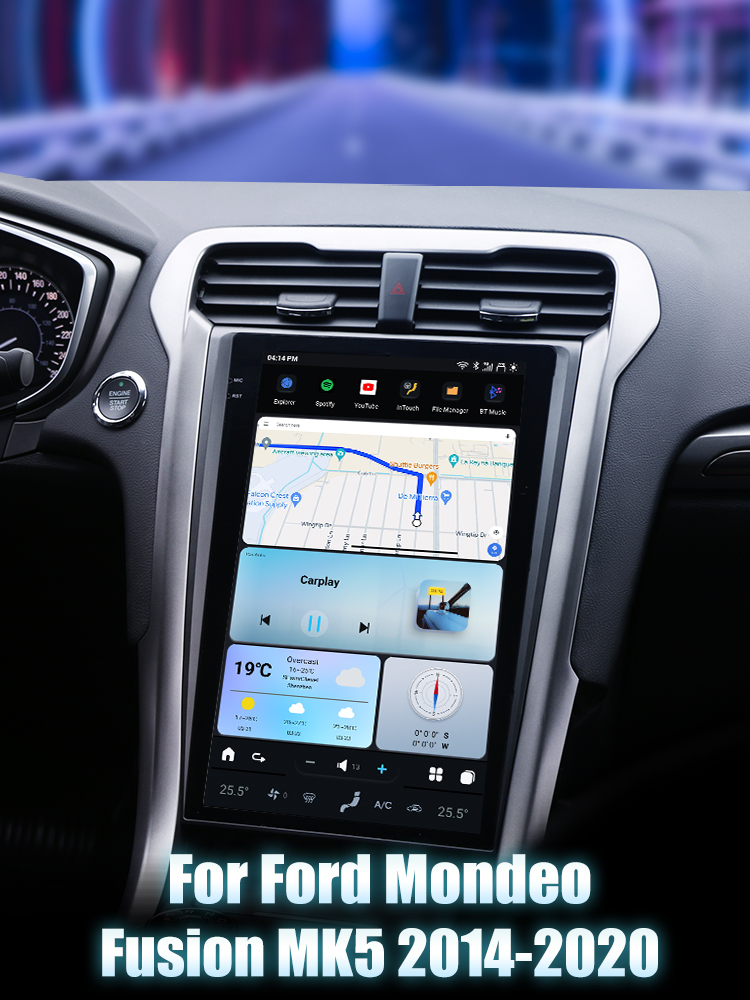
Upgrading your Ford Mondeo Fusion MK5 (2014-2020) with a new head unit can significantly enhance your driving experience. The SquareWheels G-Series head unit offers a modern touchscreen display and advanced features that can transform your vehicle's interior. This guide will walk you through the installation process, complete with wiring diagrams to ensure a smooth upgrade.

Tools Required
While the specific tools are not detailed, typical tools for this installation include:
- Car trim removal tools
- Screwdriver set
- Socket wrench
Pre-Installation Notes
Before starting the installation, follow these important steps:
- Ensure the vehicle is turned off and the keys are removed from the ignition.
- Disconnect the battery to prevent electrical shorts during installation.
Removal Steps
1. Begin by gently prying off any dash trim pieces using trim removal tools.
2. Unscrew any bolts securing the factory head unit in place.
Installation Steps
1. Connect the Necessary Cables
Refer to the labeled parts on the G-Series head unit and cables:
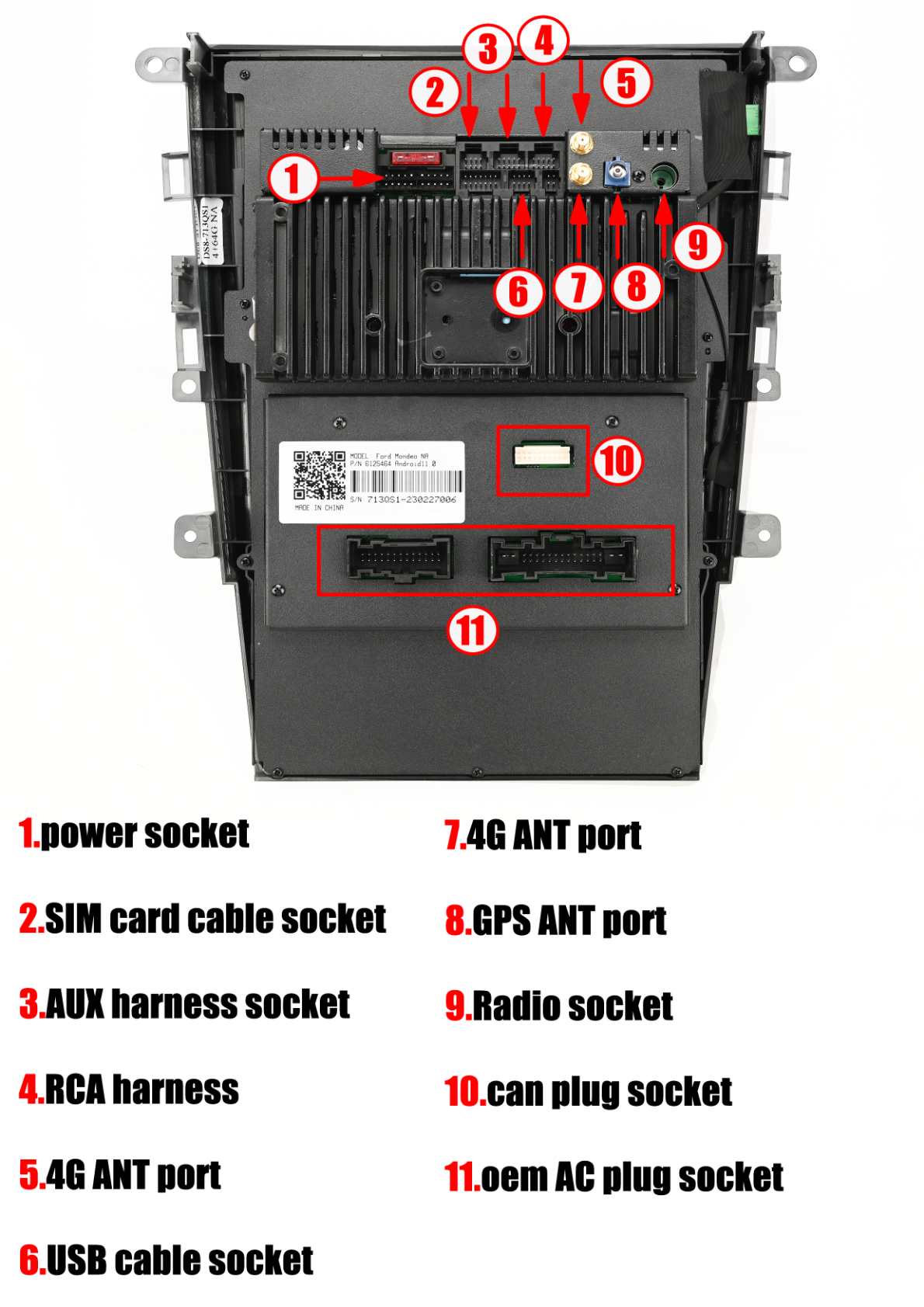
- Power Socket (1): Connect to the power plug on the main harness.
- SIM Card, AUX, USB Ports (2, 3, 6, 8): Connect the respective cables to these ports.
- 4G/GPS ANT Ports (7, 8, 11): Connect the antennas for 4G and GPS.
- RCA and Radio Adapters (3, 5): Connect as needed for additional output/input.
- CAN Plug (4, 10): Ensure the CAN plugs are connected for control and diagnostics.
2. Mount the Unit
Carefully place the new head unit into the dash, ensuring no cables are pinched during the process.
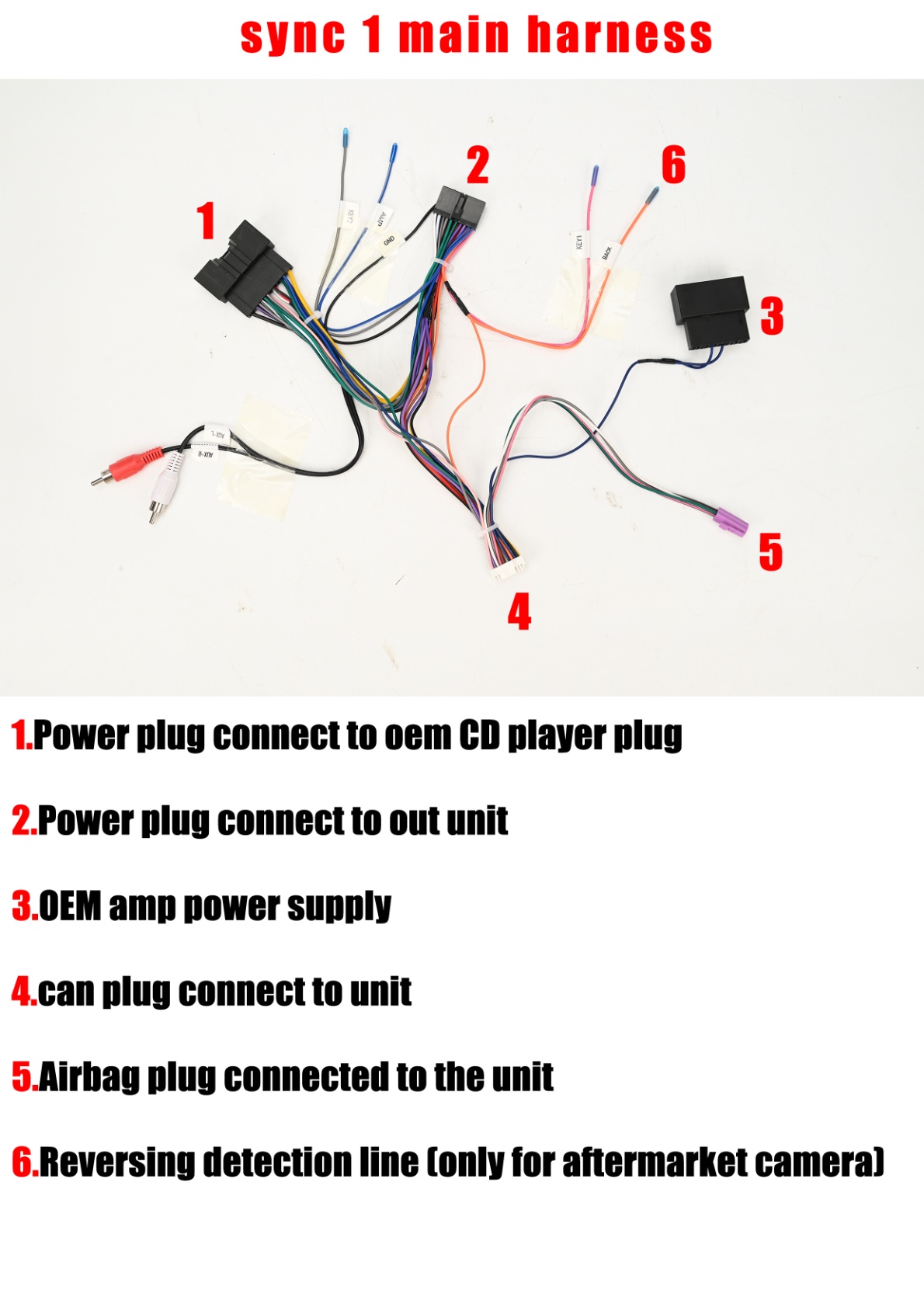
Wiring Connections
Post-Installation
1. Reconnect the battery.
2. Power on the vehicle and test the new head unit functionalities, including audio, navigation, and connectivity features.
3. Reassemble the dash by reversing the removal steps.
Tips & Warnings
- Avoid Damage: Be cautious while removing and reattaching trim pieces to avoid breakage.
- Secure Connections: Double-check all connections to ensure they are secure to prevent future issues.
- Testing: Make sure to test every function of the new head unit before completing the installation.
Conclusion
Installing a new head unit in your Ford Mondeo Fusion MK5 is a straightforward process that can greatly enhance your vehicle's technology and entertainment capabilities. For more information about the G-Series head unit, visit our product page.
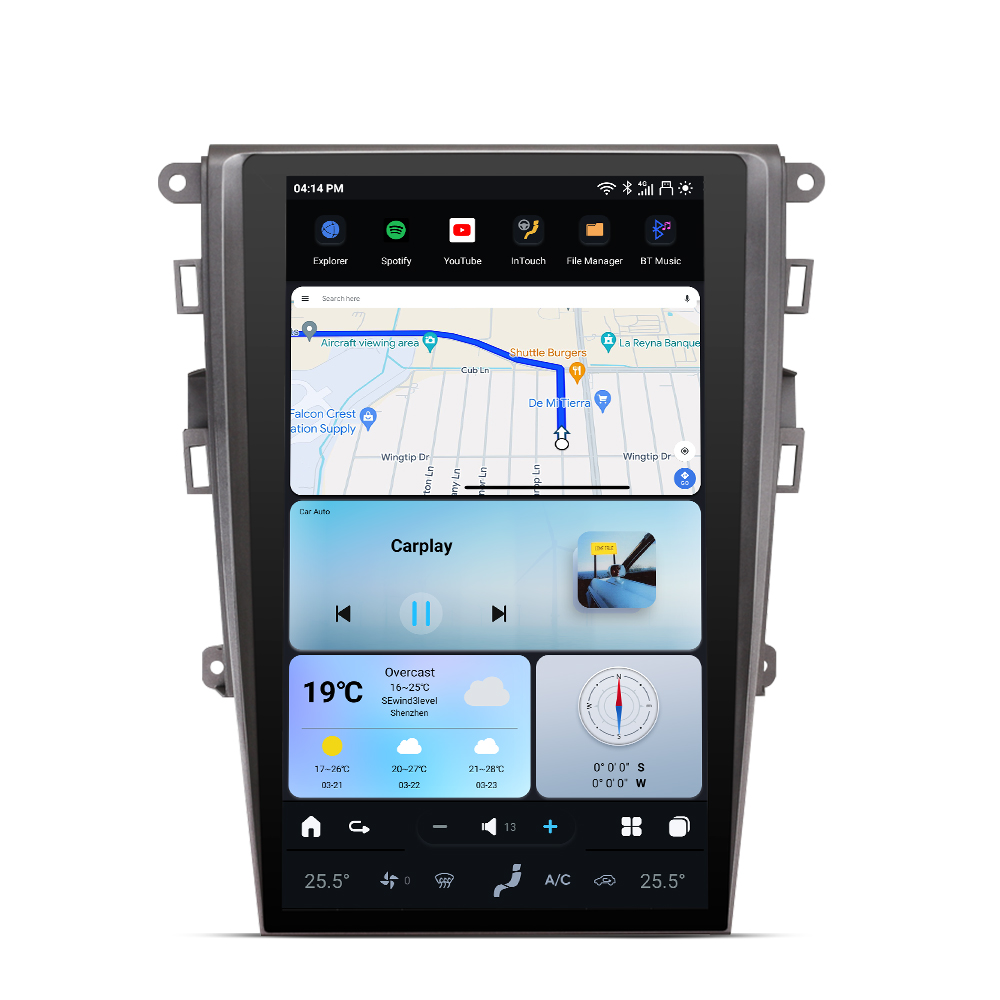
For a seamless upgrade, check out the Ford Mondeo Fusion MK5 G-Series Head Unit today!
Share:
How to Install a Head Unit in Your Ford F250 F350 with Sync System (2010-2016): Complete Guide with Wiring Diagrams
How to Install a Head Unit in Your Infiniti G37 (2007-2013): Complete Guide with Wiring Diagrams