

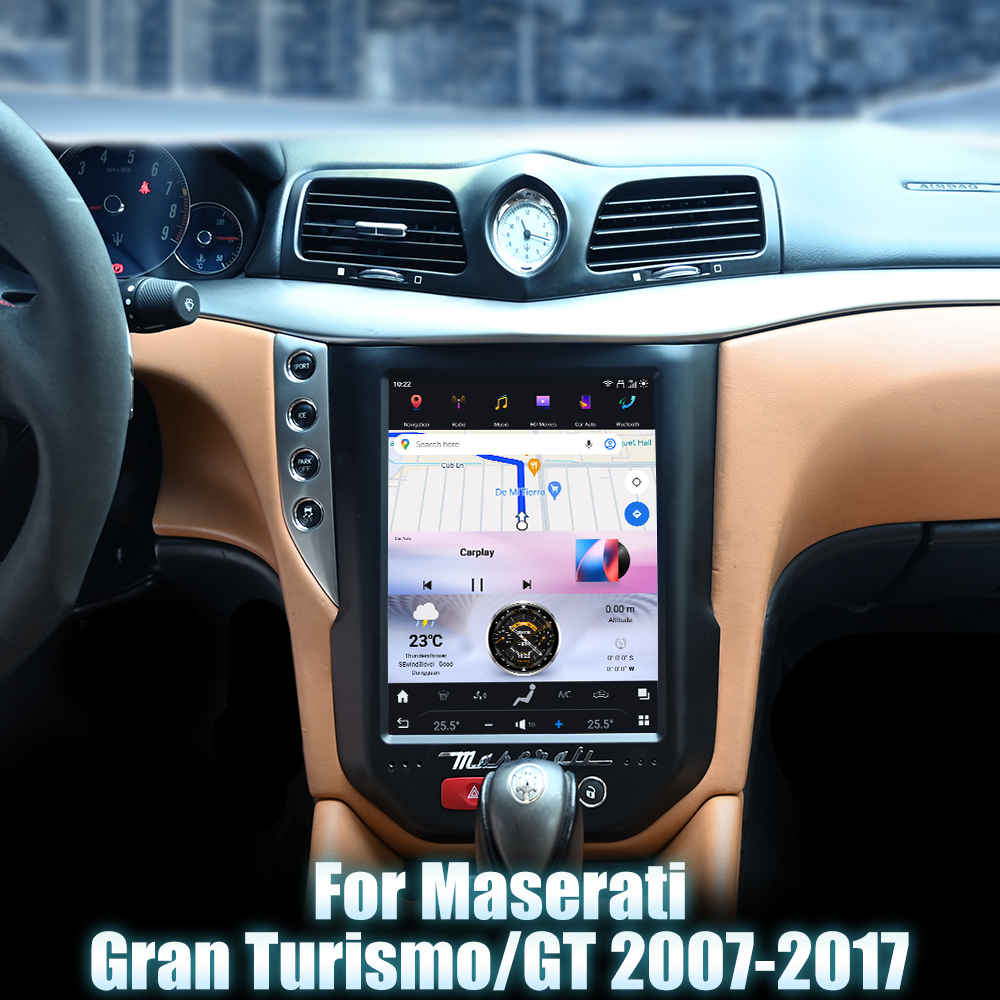
Installing a Head Unit in Your Maserati Gran Turismo GT (2007-2017)
Upgrading your Maserati Gran Turismo GT with a modern head unit can significantly enhance your driving experience. The SquareWheels G-Series Android Head Unit offers a sleek design and advanced features that can transform your vehicle's interior. This guide will take you through the installation process step-by-step, complete with wiring diagrams.
Tools Required
While specific tools are not mentioned in the guide, standard car audio installation tools such as screwdrivers, panel removal tools, and sockets may be necessary for this installation.

Pre-Installation Notes
Before you begin, ensure that the vehicle is turned off and the keys are removed to avoid any electrical issues or damage during the installation process.
Removal Steps
To remove the existing head unit, follow these general steps:
- Carefully remove the trim pieces surrounding the existing head unit to avoid damage.
- Disconnect any cables attached to the factory head unit.
Installation Steps
Once the old unit is removed, you can proceed with installing the new head unit:
- Insert the new SquareWheels G-Series head unit into the designated slot after connecting the necessary wires and antennas.
Wiring and Connections
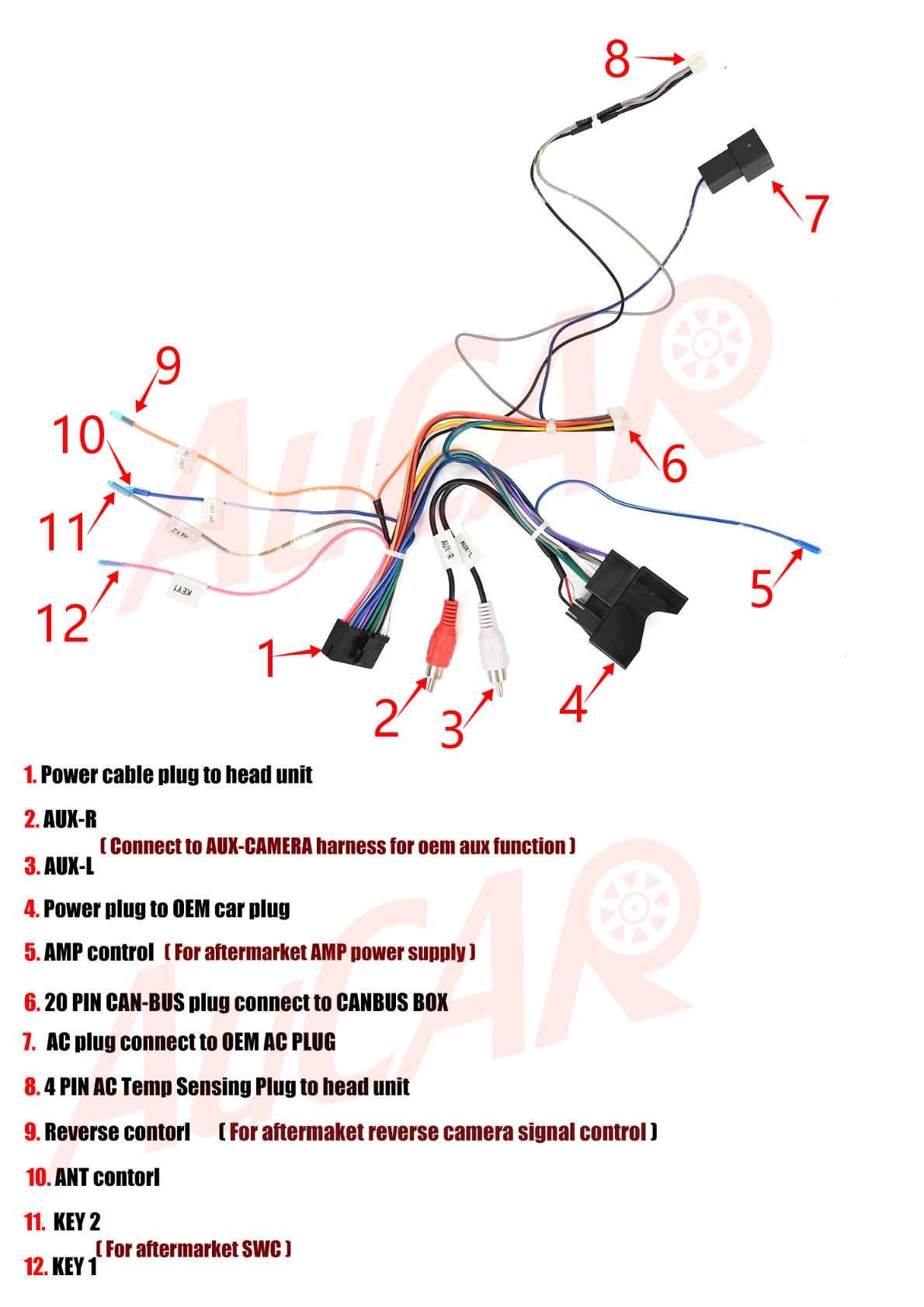
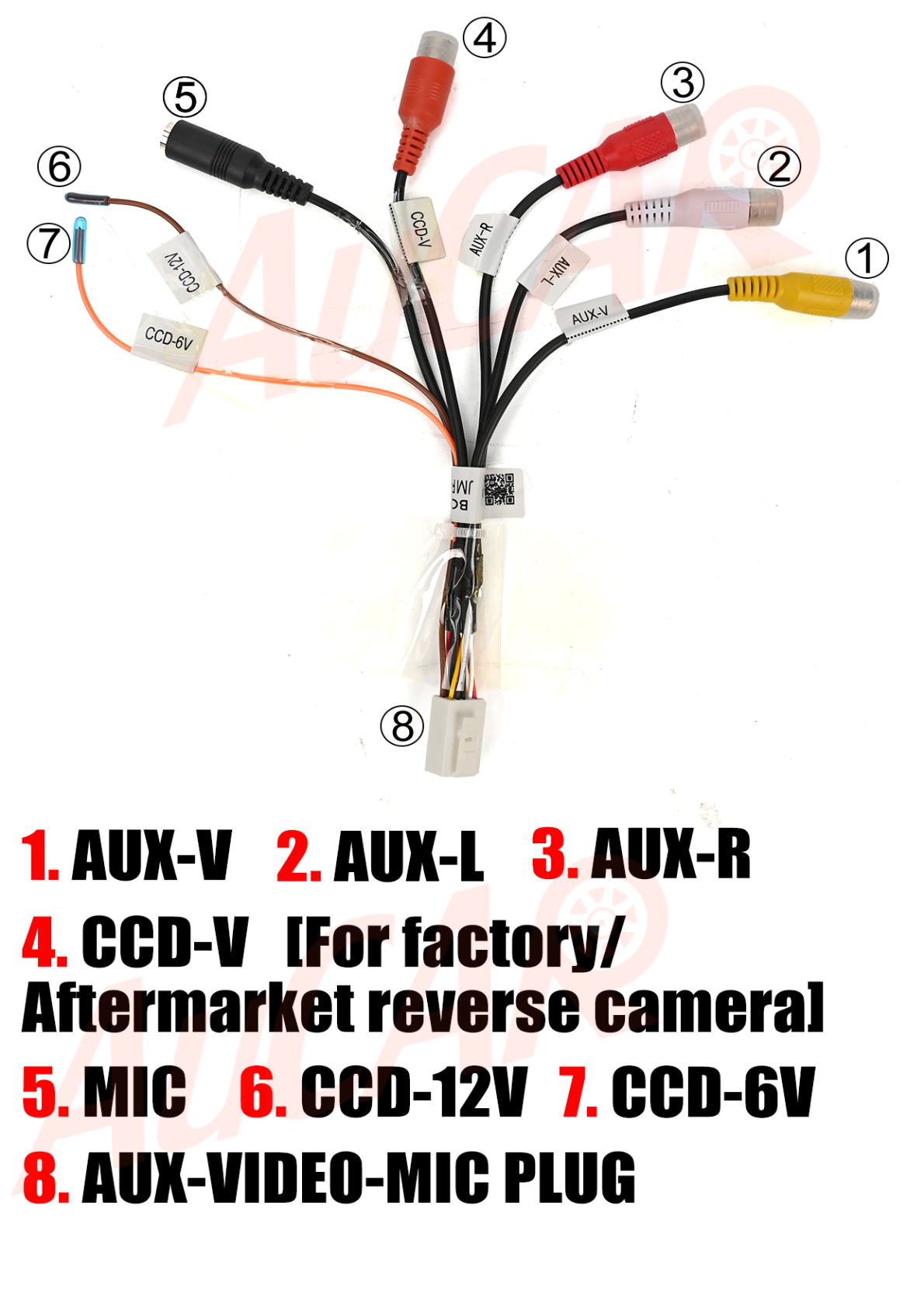
Proper wiring is crucial for the functionality of your new head unit. Below is an overview of the connections you will need to make:
-
Rear of Head Unit:
- 4G card slot
- AUX-CAMERA socket
- RCA harness socket
- GPS ANT socket
- Radio ANT socket
-
Harness Connections:
- Power cable to head unit (connect power)
- AUX-CAMERA harness for OEM aux function
- CAN-BUS box (connect via 20-PIN CAN-BUS plug)
- GPS and 4G ANT connections for navigation and data
Post-Installation Testing
After completing the installation, it's important to test all connections and functionalities:
- Check the operation of the radio, GPS, 4G, and AUX functions.
- Ensure the head unit powers on and integrates properly with vehicle controls.
Tips and Warnings
Keep the following tips in mind during your installation:
- Some sockets may be marked as "useless"—double-check before leaving them unplugged.
- Handle wiring with care to avoid shorts or damage.
- Ensure all antenna and power connections are secure for optimal performance.
Conclusion
Upgrading to the SquareWheels G-Series head unit in your Maserati Gran Turismo GT can provide a modern touch to your driving experience. For more information on the product, visit our product page: Maserati Gran Turismo GT Head Unit.
For further assistance or to explore more options, feel free to contact us.
Share:
How to Install a Head Unit in Your Land Rover Discovery 4 LR4 L319 (2011-2013): Complete Guide with Wiring Diagrams
How to Install a Head Unit in Your Nissan 350Z Z33 (2002-2008): Complete Guide with Wiring Diagrams