

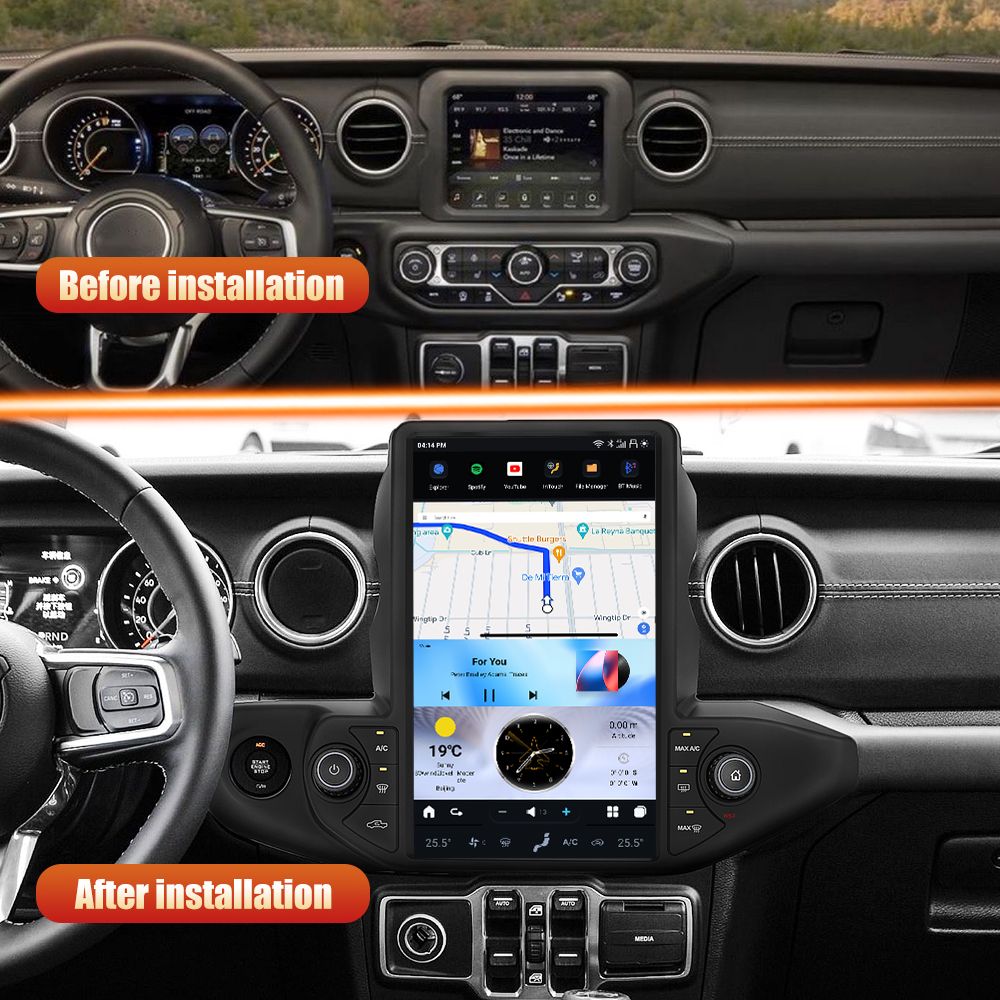
Introduction
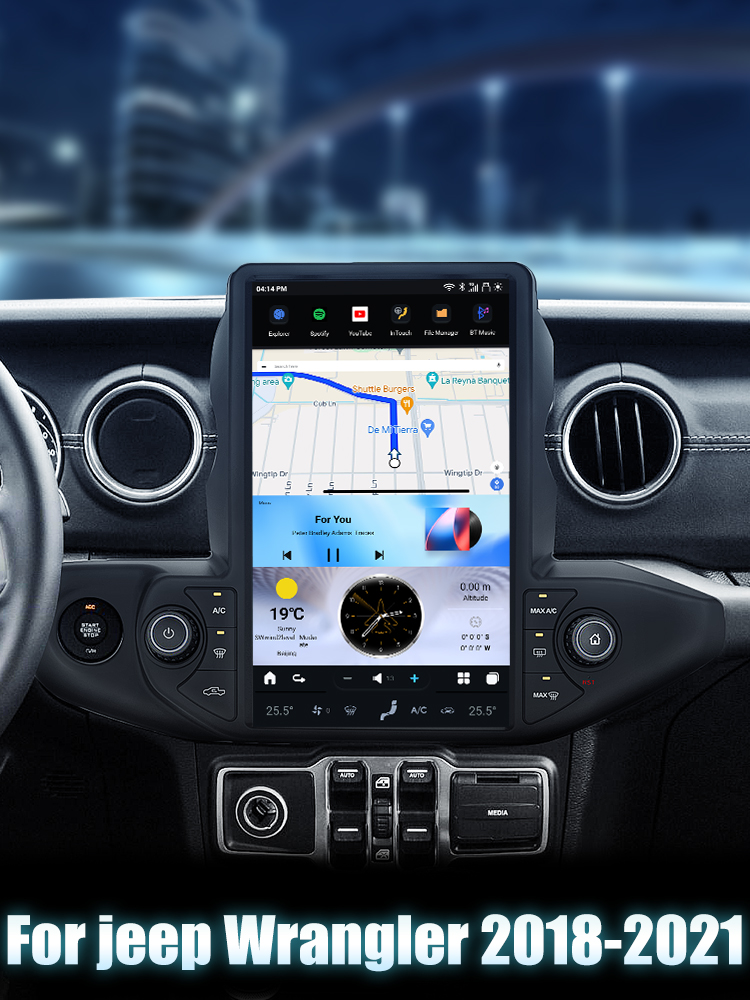
Upgrading the head unit in your Jeep Wrangler Gladiator (2018-2021) can significantly enhance your driving experience. The SquareWheels G-Series Android Head Unit offers a modern touchscreen interface with features like wireless Apple CarPlay and Android Auto. In this guide, we’ll walk you through the installation process step-by-step.
Tools Required
- Pin to press the "RST" button
Pre-Installation Notes
Before starting the installation, ensure that you have the correct AC configuration set up for your vehicle:
- Auto AC: Go to "Settings" → "System" → "Setting Guide" → Code: 8861 → Select "Jeep Wrangler - Hi" → Double-click "Hi" to save.
- Manual AC: Go to "Settings" → "System" → "Setting Guide" → Code: 8861 → Select "Jeep Wrangler - low" → Double-click "low" to save.
Installation Steps
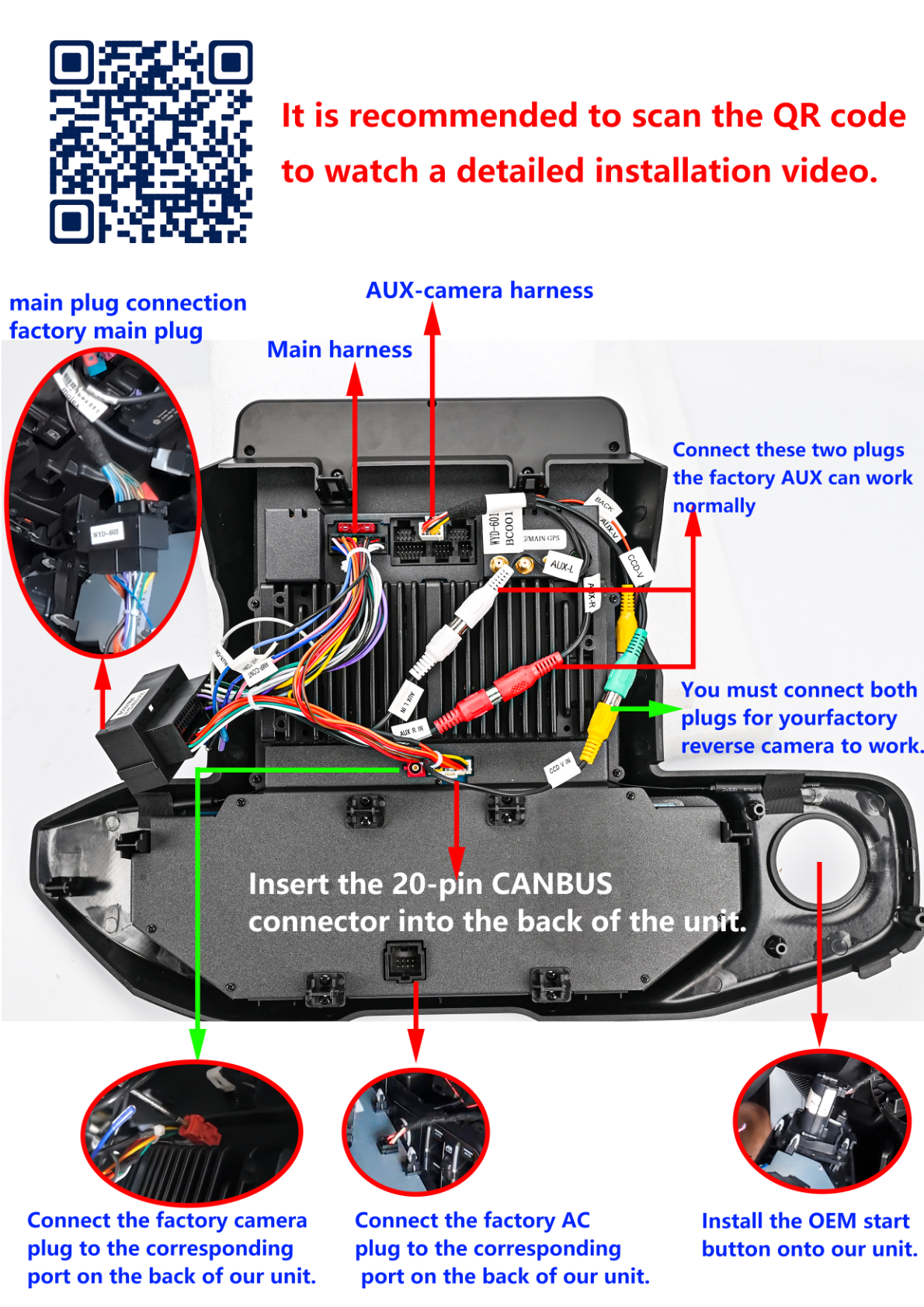
1. Connect Harnesses
Begin by connecting the necessary harnesses to the head unit:
- Insert the 20-pin CANBUS connector into the back of the unit.
- Connect the factory camera plug to the corresponding port.
- Connect the factory AC plug to the corresponding port.
- Install the OEM start button onto the unit.
2. Attach Antennas and Adapters
Next, connect the following:
- RCA harness
- GPS antenna
- 4G antenna
- 4G card adapter
- If adding an aftermarket amp or sub, install the RCA harness.
Wiring/Connections
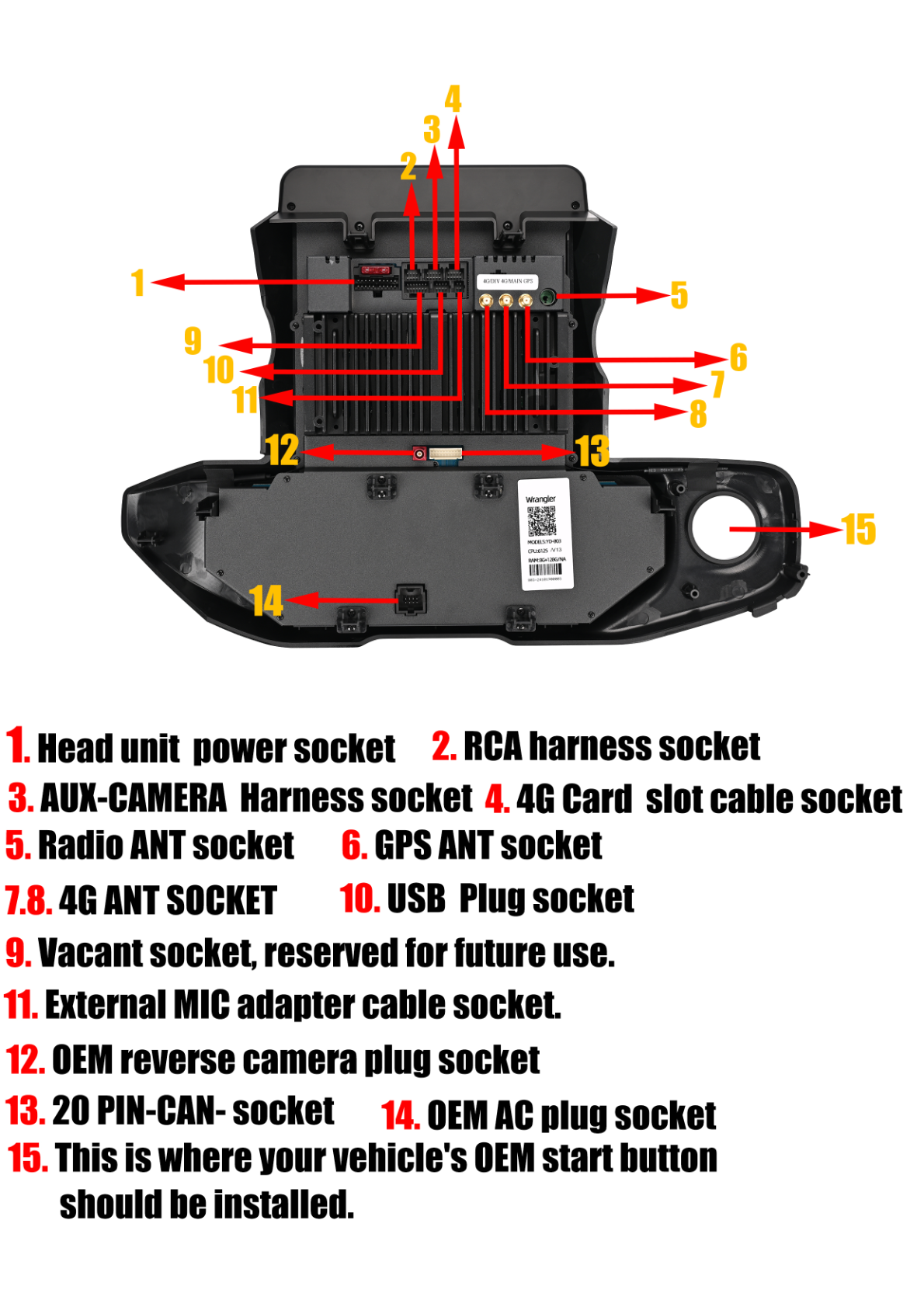
Here are the sockets on the head unit where you will connect the various components:
- Head unit power socket
- RCA harness socket
- AUX-CAMERA harness socket
- 4G Card slot cable socket
- Radio ANT socket
- GPS ANT socket
- 4G ANT socket
- USB plug socket
- External MIC adapter cable socket
- OEM reverse camera plug socket
- 20 PIN-CAN socket
- OEM AC plug socket
Post-Installation
Once everything is connected, ensure all connectors are securely attached to avoid functionality issues. Double-check your AC settings to confirm the correct option has been selected for your setup.
Tips & Warnings
- Use a pin to press the "RST" button if the screen goes black.
- It’s recommended to scan the QR code for a detailed installation video for further guidance.
Conclusion
Installing the G-Series head unit in your Jeep Wrangler Gladiator is a straightforward process that can greatly enhance your vehicle's functionality and aesthetics. If you have any questions or need further assistance, feel free to check out the product page or contact us for support.
Share:
How to Install a Head Unit in Your Jeep Grand Cherokee (2010-2013)
How to Install a Head Unit in Your Land Rover Discovery 4 LR4 L319 (2011-2013): Complete Guide with Wiring Diagrams