

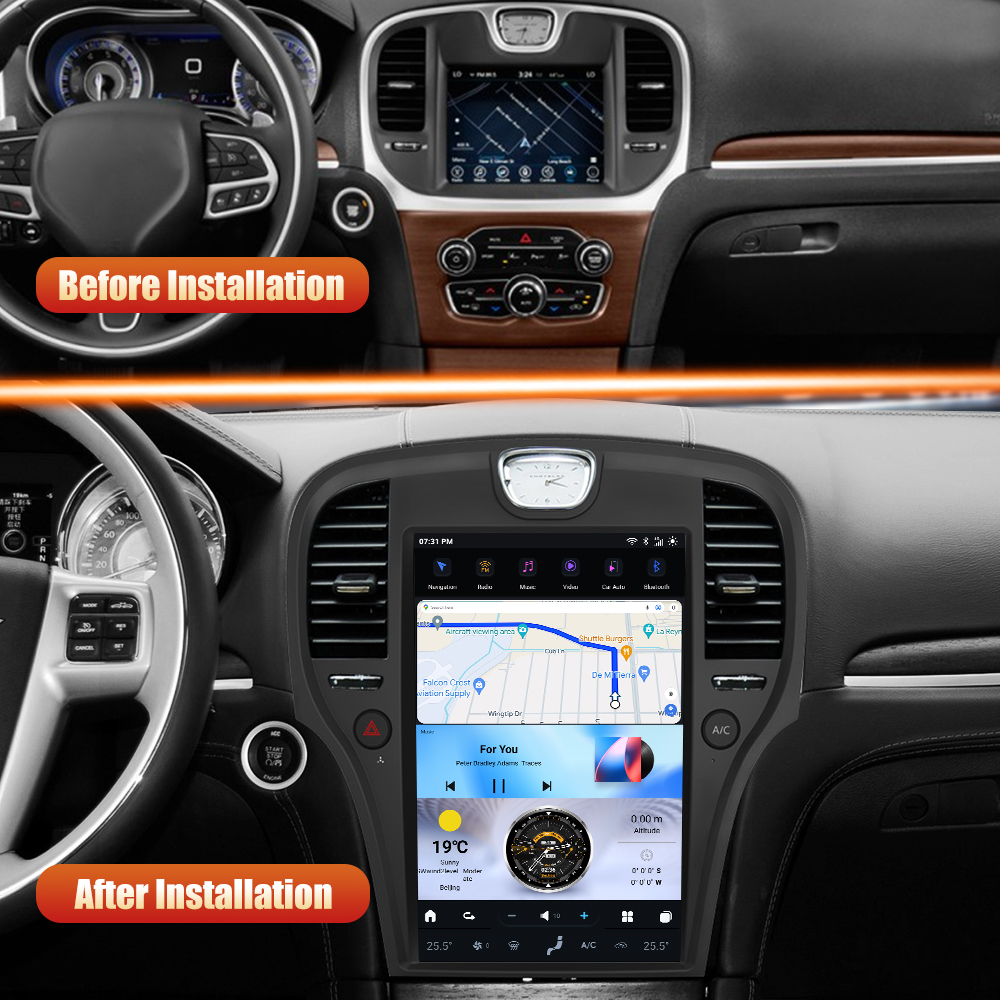
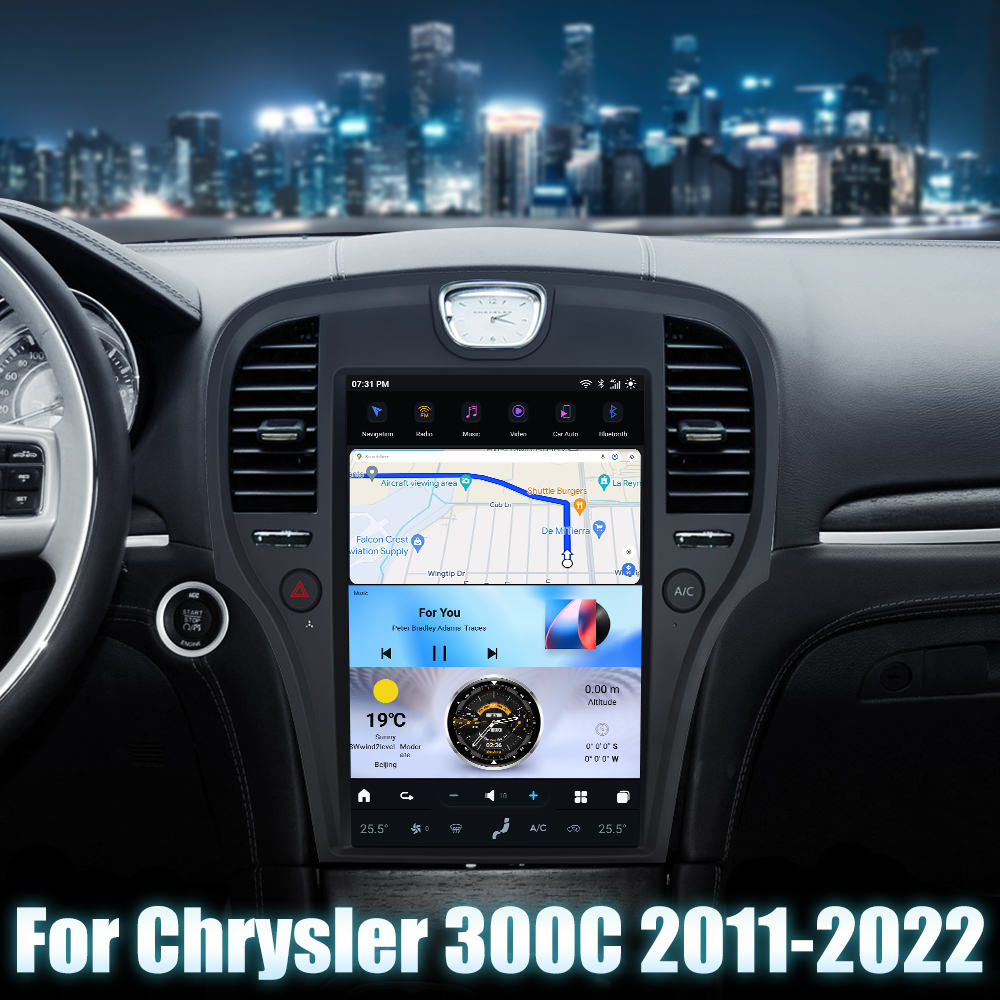
Installing a G-Series Head Unit in Your Chrysler 300C (2011-2014)
Upgrading your Chrysler 300C with a modern G-Series head unit can greatly enhance your driving experience. This guide will walk you through the installation process step by step, ensuring you have all the necessary information and diagrams at your fingertips.
Tools Required
While specific tools are not detailed, common tools for head unit installation generally include:
- Screwdrivers
- Trim removal tools
- Wire strippers

Pre-Installation Notes
Before starting the installation, ensure that the vehicle is turned off and disconnect the battery to prevent any electrical short circuits.
Removal Steps
The removal of the factory unit typically involves:
- Removing dashboard panels
- Unscrewing the factory unit
Be cautious while handling the trim pieces to avoid any damage.
Installation Steps
Follow these steps to install your new head unit:
- Position the new G-Series head unit in the designated area after making the necessary connections.
- Secure the unit using appropriate screws or clips, if necessary.
Wiring and Connections
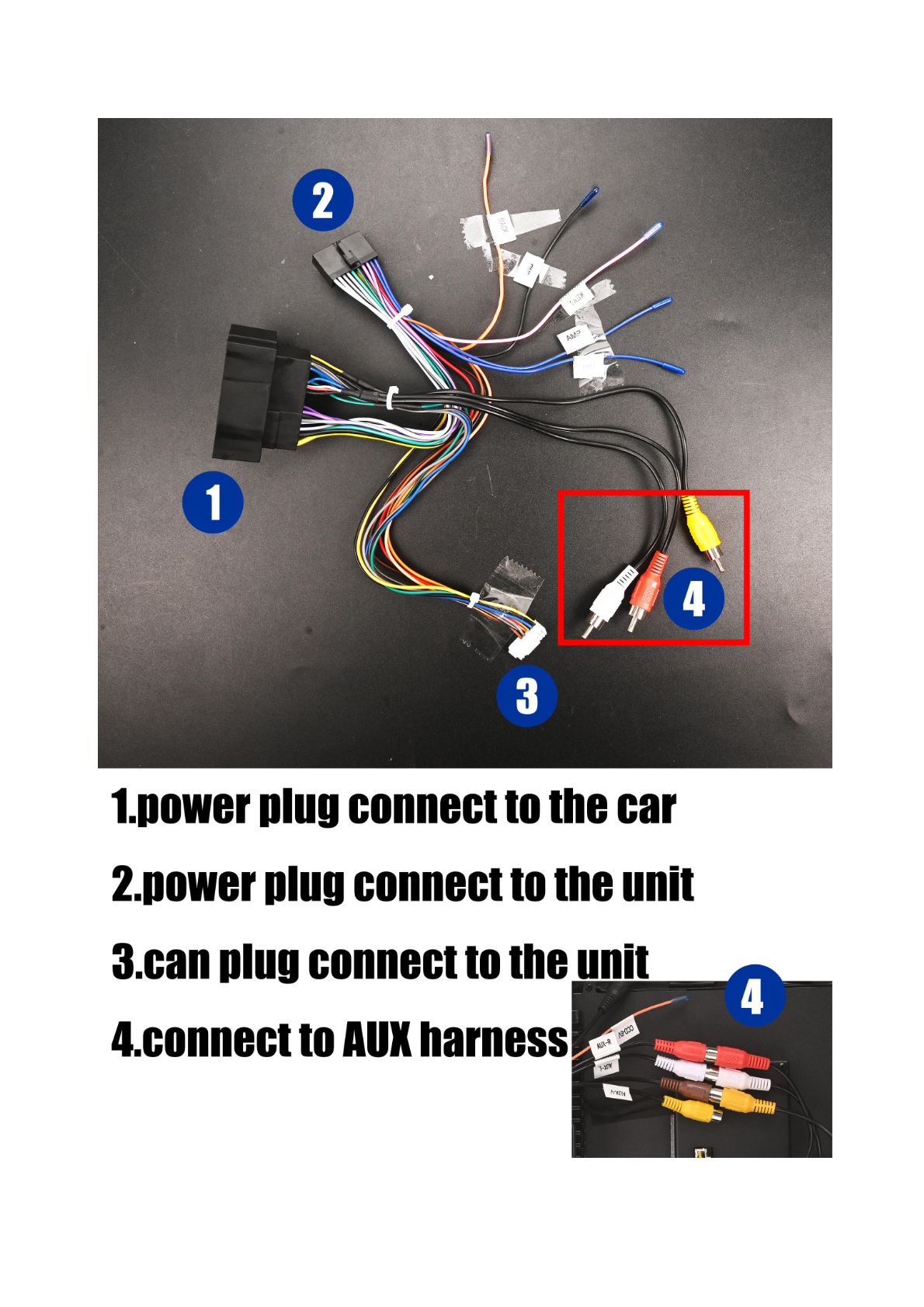
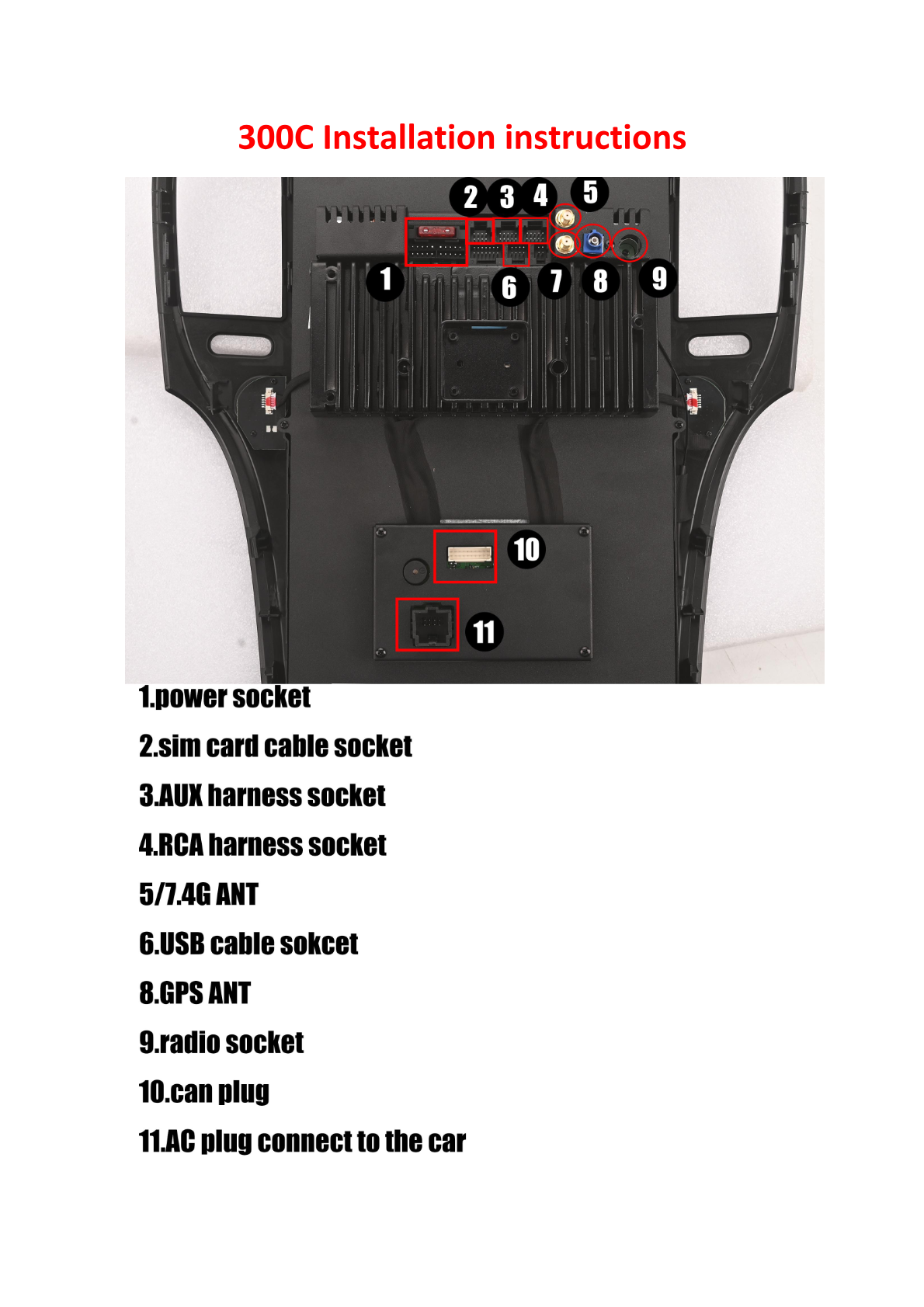
Proper wiring is crucial for your head unit to function correctly. Refer to the following connection points:
- Power Socket: Connect the power plug to provide power to the unit.
- SIM Card Cable Socket: Connect the SIM card cable for data connectivity.
- AUX Harness Socket: Connect the AUX harness for auxiliary input.
- RCA Harness Socket: Connect the RCA harness for audio/visual inputs.
- 4G ANT: Connect the 4G antenna for network connectivity.
- USB Cable Socket: Attach the USB cable for media and charging.
- GPS ANT: Connect the GPS antenna for navigation purposes.
- Radio Socket: Connect the OEM radio adapter.
- CAN Plug: Connect to the CAN bus interface for vehicle communication.
- AC Plug: Connect to the car's AC for power.
Post-Installation
After installation, make sure to:
- Reassemble the dashboard panels.
- Reconnect the battery.
- Test the unit for power, functionality, and connectivity (radio, GPS, USB, AUX).
Tips & Warnings
- Ensure all connections are secure to avoid functionality issues.
- Handle connectors and electronic components with care to prevent damage.
- Double-check that the vehicle battery is disconnected before working with electrical components to avoid shock.
If you're unfamiliar with car electronics, consider professional installation to avoid damage.
Conclusion
Installing a G-Series head unit in your Chrysler 300C (2011-2014) can significantly enhance your vehicle's functionality and aesthetics. For more information, check out the product page for the Chrysler 300C G-Series Head Unit.
For further assistance or to explore more products, visit our product category or contact us.
Share:
How to Install a Head Unit in Your Chevrolet Tahoe, Silverado, or GMC Yukon (2007-2012): Complete Guide with Wiring Diagrams
How to Install a Head Unit in Your Dodge Challenger (2008-2014): Complete Guide with Wiring Diagrams