

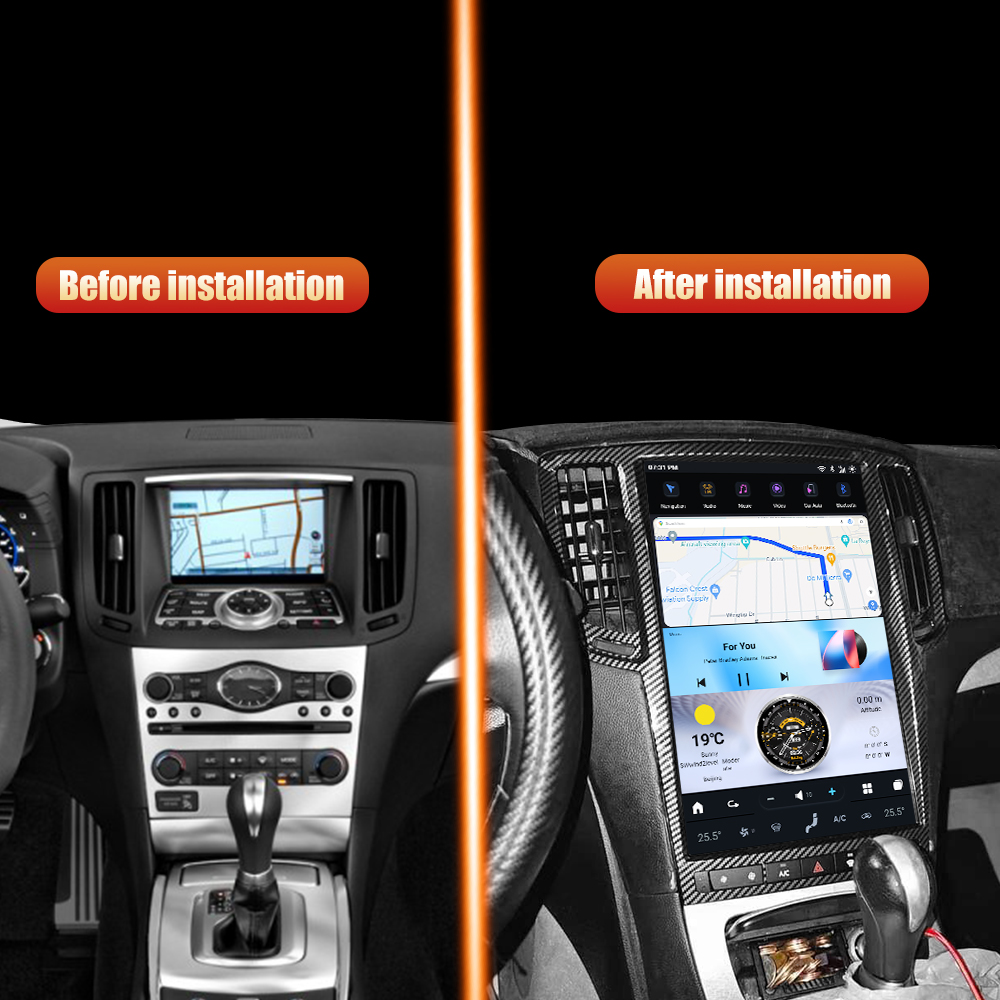
Upgrade Your Infiniti G37 with a New Head Unit
If you're looking to enhance your driving experience in your Infiniti G37 (2007-2013), installing a new head unit can be a fantastic upgrade. In this guide, we’ll walk you through the installation process of the SquareWheels G-Series Head Unit, which features a Tesla-style vertical display and modern connectivity options.

Tools Required
- No specific tools are listed, but standard automotive tools may be necessary for removal and installation.
Pre-Installation Notes
- Ensure mileage syncing is done before installation if using OBD.
- Verify all connectors and cables are unplugged before starting.
- Make sure to have the appropriate head unit already compatible with your vehicle.
Installation Steps
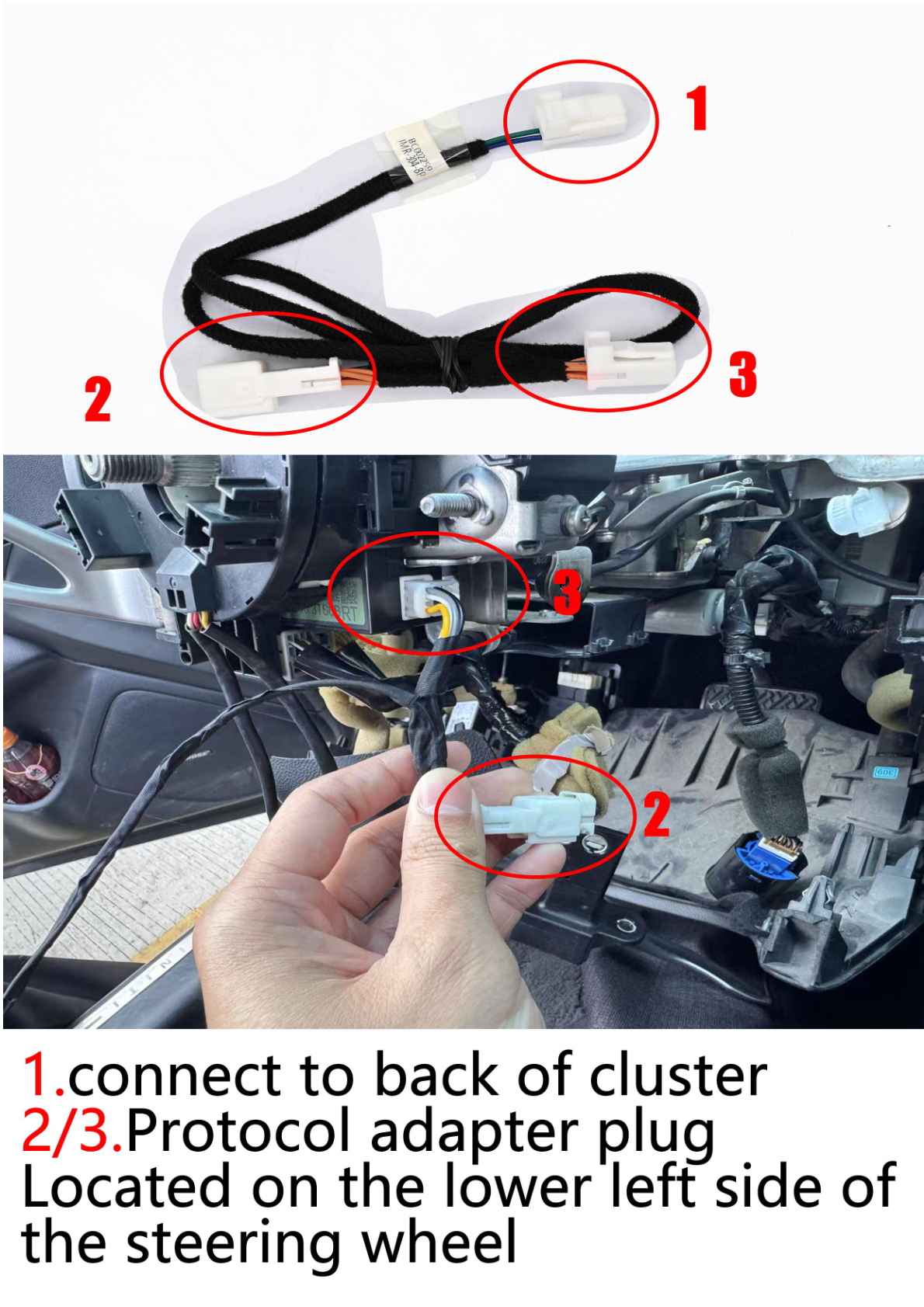
1. Connect to the Back of the Cluster
Use the provided protocol adapter for physical connections.
2. Plug Connections
Ensure the following connections are made:
- HDMI cable to HDMI input (Port 1).
- USB cable to USB socket (Port 2).
- Power socket to the factory (Port 4).
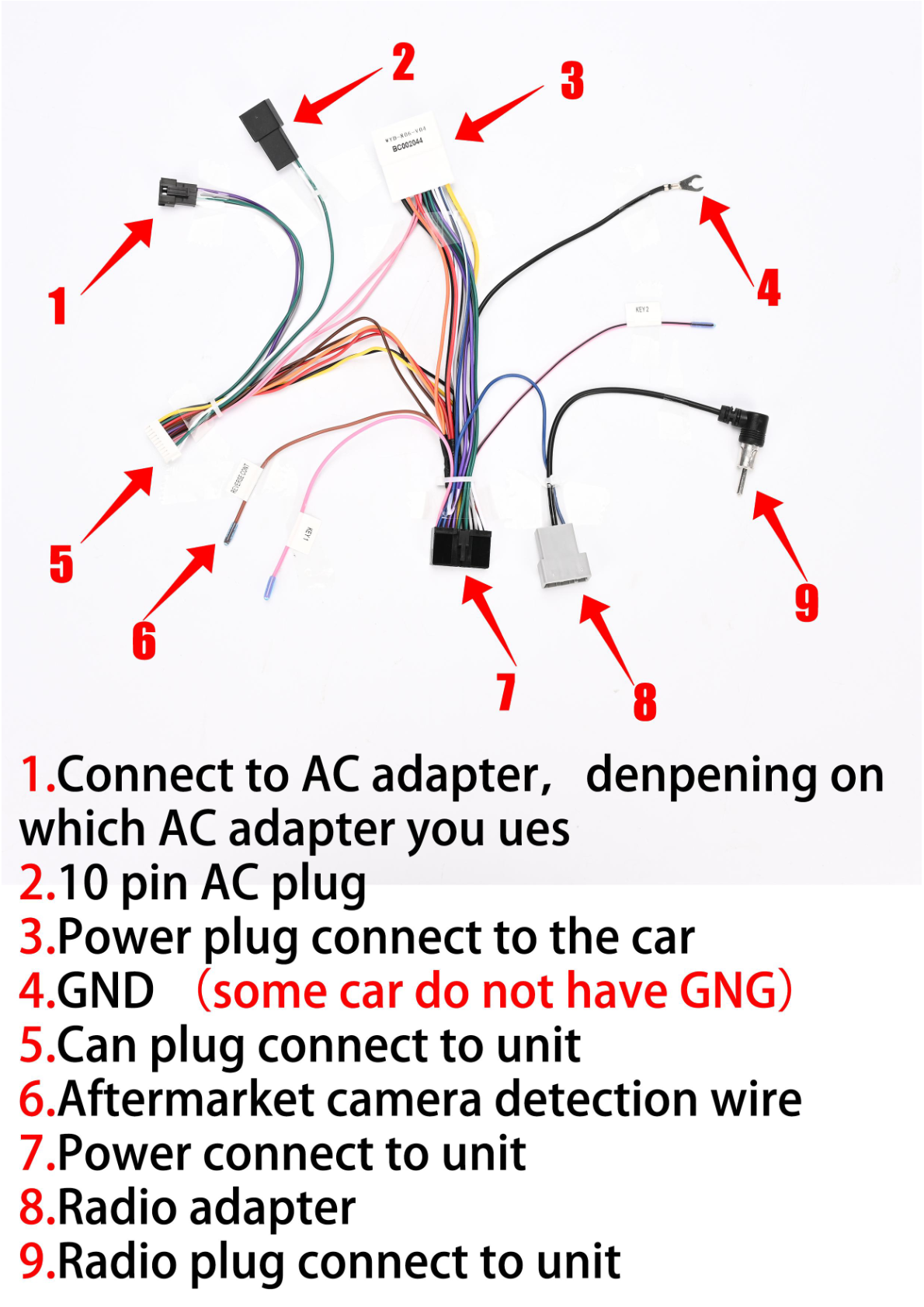
Wiring/Connections
Use the USB extension cable and protocol adapter to ensure connectivity:
- Protocol adapter (Cable 6) connects to the back of the cluster and the protocol adapter plug located on the lower left side of the steering wheel.
Post-Installation
- Ensure everything is securely clicked in place.
- Test the unit functionality before considering the installation complete.
- Sync mileage manually or via OBD if not done before installation.
Tips & Warnings
- Double-check all connectors are inserted securely to avoid electrical issues.
- Consult your vehicle's manual or a professional installer if you have any uncertainties.
- For assistance, contact support via email at support@aucarauto.com or WhatsApp at +86 15811876790.
Watch the Installation Video
This video provides a visual guide to installing your Tesla-style screen on an Infiniti G37, helping you through each step.
Conclusion
Installing a new head unit in your Infiniti G37 can significantly enhance your driving experience. Follow these steps carefully, and you'll be enjoying your upgraded infotainment system in no time!
For more information on the SquareWheels G-Series Head Unit and other products, visit our website or contact us for assistance.
Share:
How to Install a Head Unit in Your Ford Mondeo Fusion MK5 (2014-2020): Complete Guide with Wiring Diagrams
How to Install a Head Unit in Your Infiniti Mark 7 Q50 Q50S Q60 Q60S (2014-2019): Complete Guide with Wiring Diagrams