

Introduction
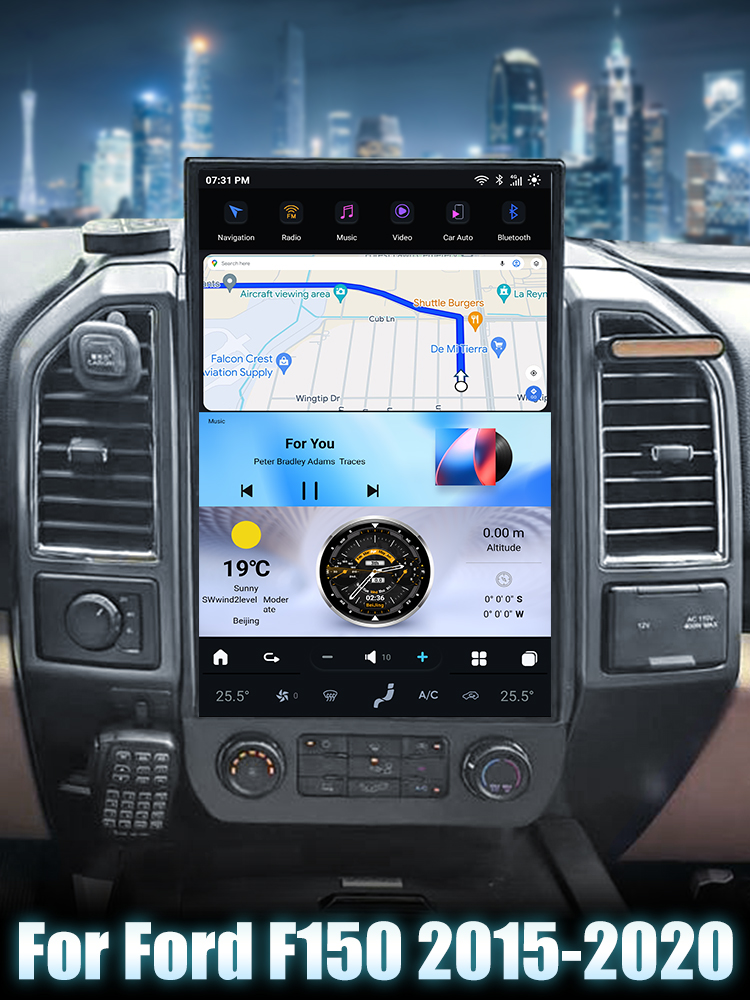
Upgrading the head unit in your Ford F250 or F350 with a Sync system (2010-2016) can significantly enhance your driving experience. This guide will walk you through the installation of the SquareWheels G-Series head unit, ensuring you have all the necessary steps and wiring diagrams to complete the job safely and effectively.

Tools Required
Before you start, ensure you have the following tools on hand:
- Screwdriver set (Philips and Flathead)
- Plastic trim removal tools
- Socket wrench set
Pre-Installation Notes
Ensure the vehicle is turned off and keys are removed from the ignition before starting the installation to prevent electrical shorts or damage. Disconnect the car battery for safety.
Removal Steps
1. Use trim removal tools to carefully remove the trim panels surrounding the head unit.
2. Unscrew any screws securing the factory head unit in place.
3. Gently pull the factory head unit out and disconnect all wiring.
Installation Steps
1. Sync Module Installation
Fix the sync module to the designated slots on the back of the new head unit.
2. Connecting Cables
Attach the corresponding cables to the sockets on the back of the head unit as per the numbered guide:
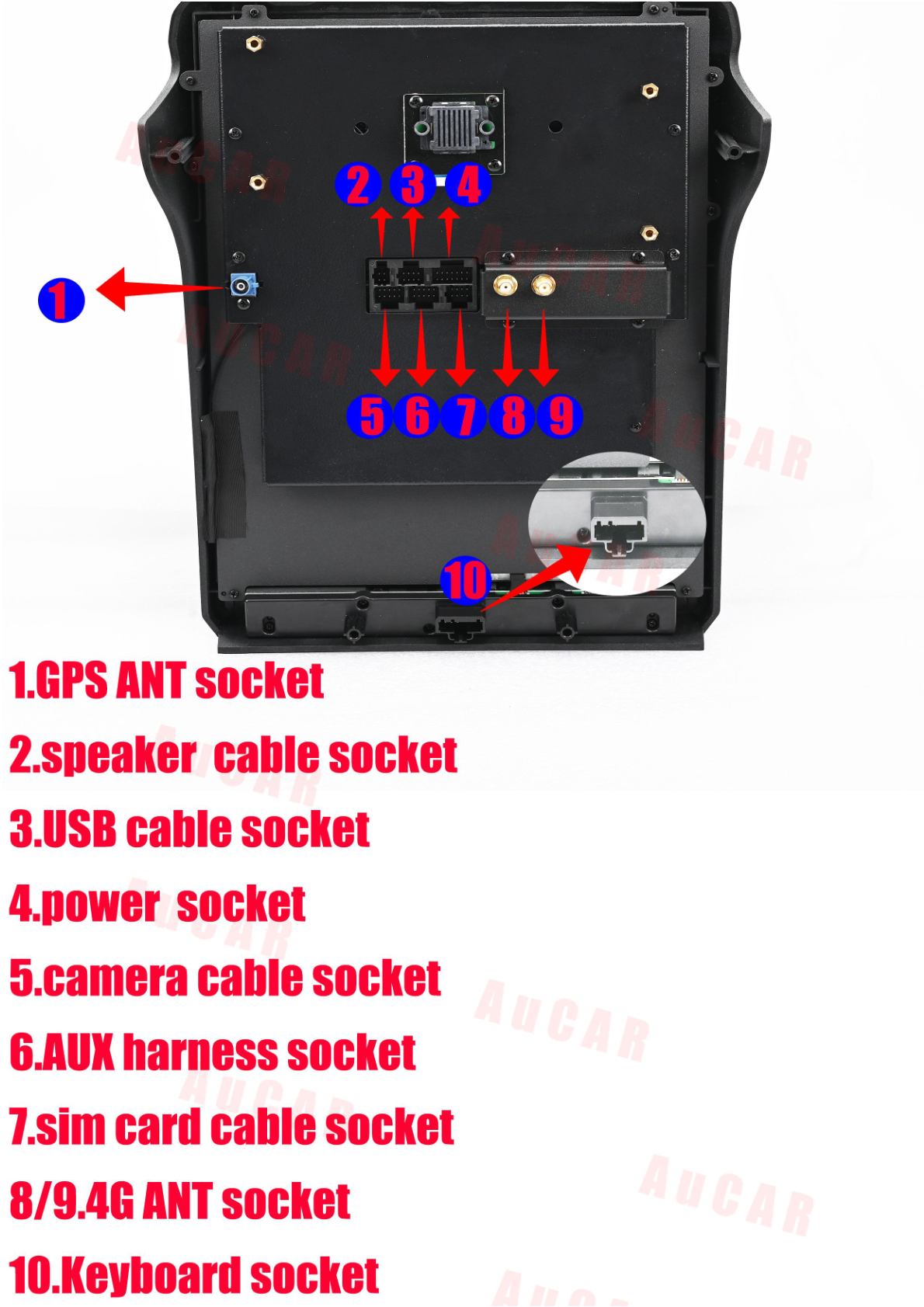
- GPS ANT Socket (1): Connect GPS antenna.
- USB Cable Socket (3): Connect USB cable.
- 4G ANT (4/5): Connect 4G antenna cables.
- Main Harness (1): Connect main harness to the vehicle’s original wiring.
- Speaker Cable (9): Connect speaker cable.
- CAN Bus (2): Connect the CAN bus module.
- Sim Card Cable (10): Attach the sim card cable.

Post-Installation
1. Secure the new head unit in place.
2. Reattach any removed trim panels.
3. Reconnect the car battery.
4. Power on the vehicle and test the new head unit to ensure all functions are working correctly.
Tips & Warnings
Safety Precaution: Always ensure the car's battery is disconnected during installation to prevent any electric shock or damage to the car's electronics. Before finalizing the installation, test all features (radio, GPS, Bluetooth, etc.) to ensure correct functionality. Double-check all connections to prevent any issues with functionality.
Conclusion
With these steps, you should be well on your way to enjoying your new head unit in your Ford F250 or F350. For more information on the G-Series head unit, visit our product page.
Share:
How to Install a Head Unit in Your Ford F250 F350 F450 F650 (2010-2016): Complete Guide with Wiring Diagrams
How to Install a Head Unit in Your Ford Mondeo Fusion MK5 (2014-2020): Complete Guide with Wiring Diagrams