

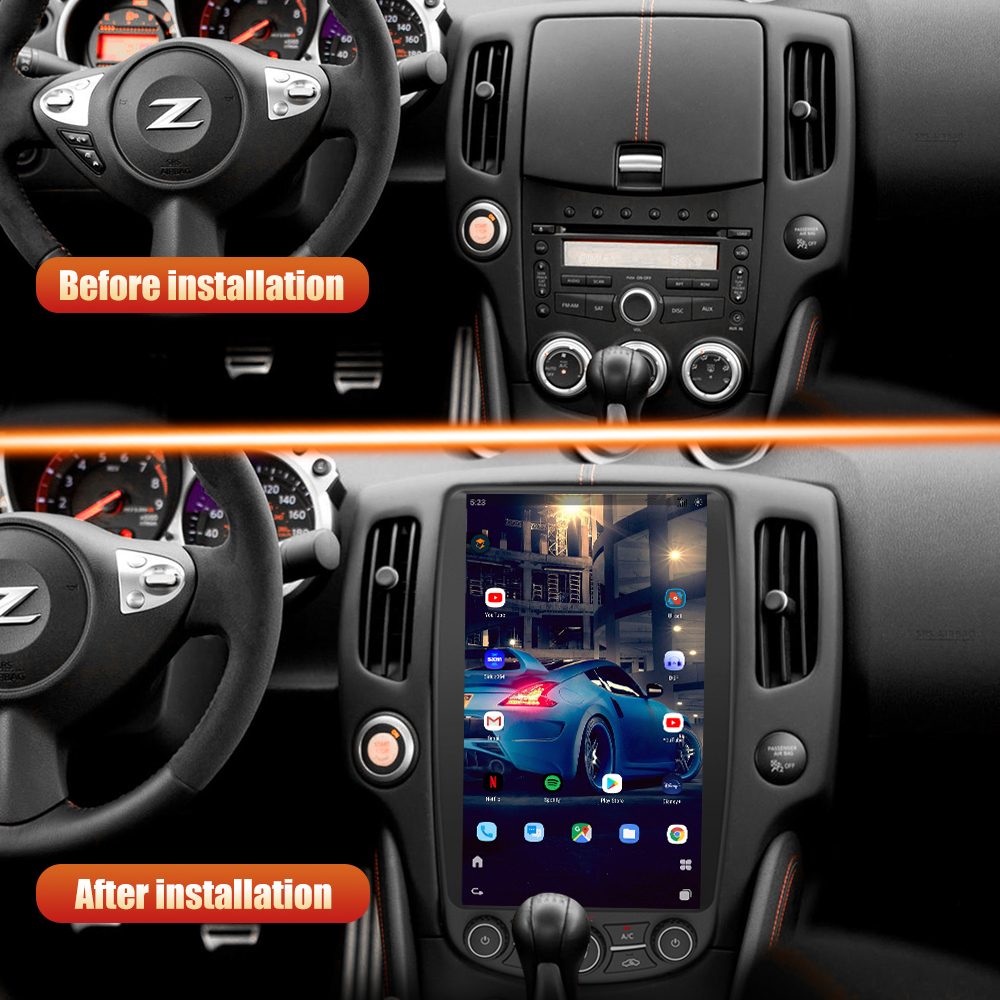
How to Install a Head Unit in Your Nissan 370Z (2009-2021)
Upgrading the head unit in your Nissan 370Z can significantly enhance your driving experience, bringing modern features like Apple CarPlay and Android Auto to your dashboard. In this guide, we’ll walk you through the installation process for the G-Series head unit, ensuring you have everything you need for a successful upgrade.
Tools Required
While specific tools are not listed, it's advisable to have basic automotive tools on hand for the installation process.
Pre-Installation Notes
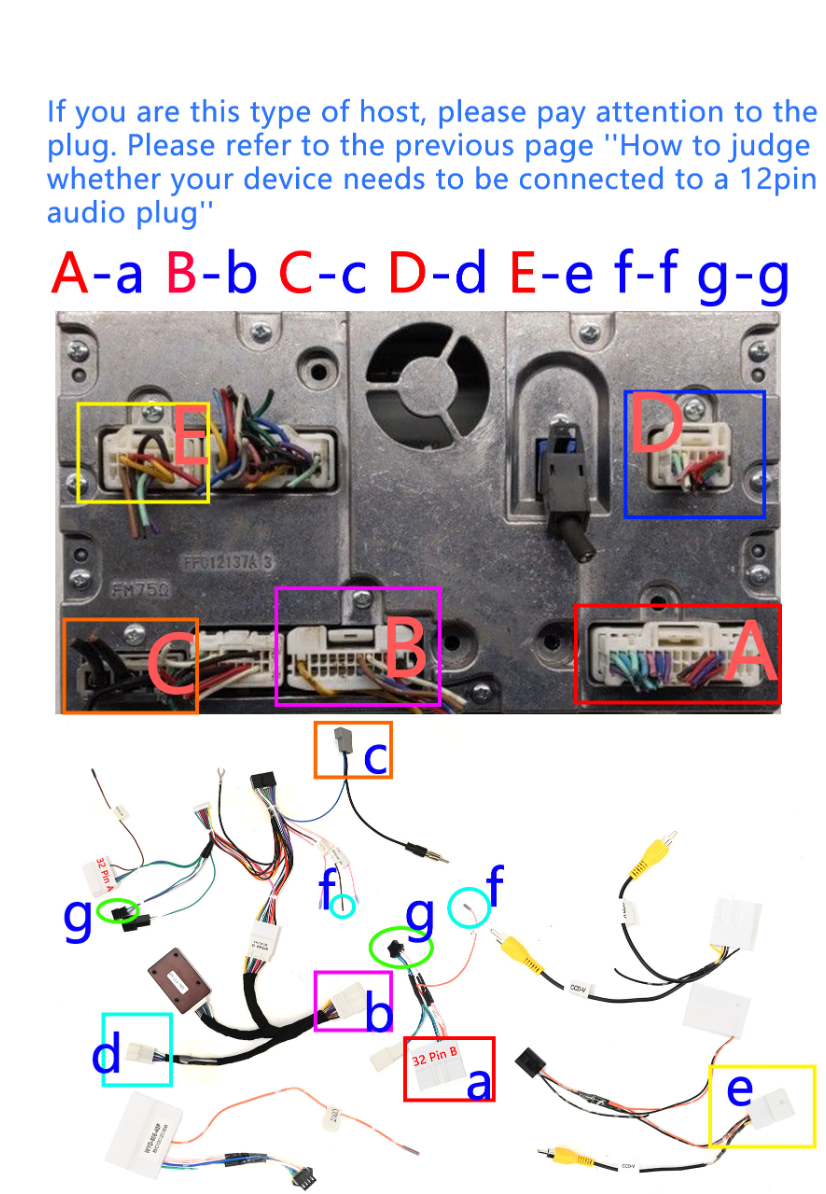
- Check Ground Connection: Verify if your car has a ground (GND) by checking for the presence of a black wire in the specified connector position.
- Audio Plug Requirement: Determine if your unit needs a 12-pin audio plug by checking for the presence of an audio cable in the indicated position.
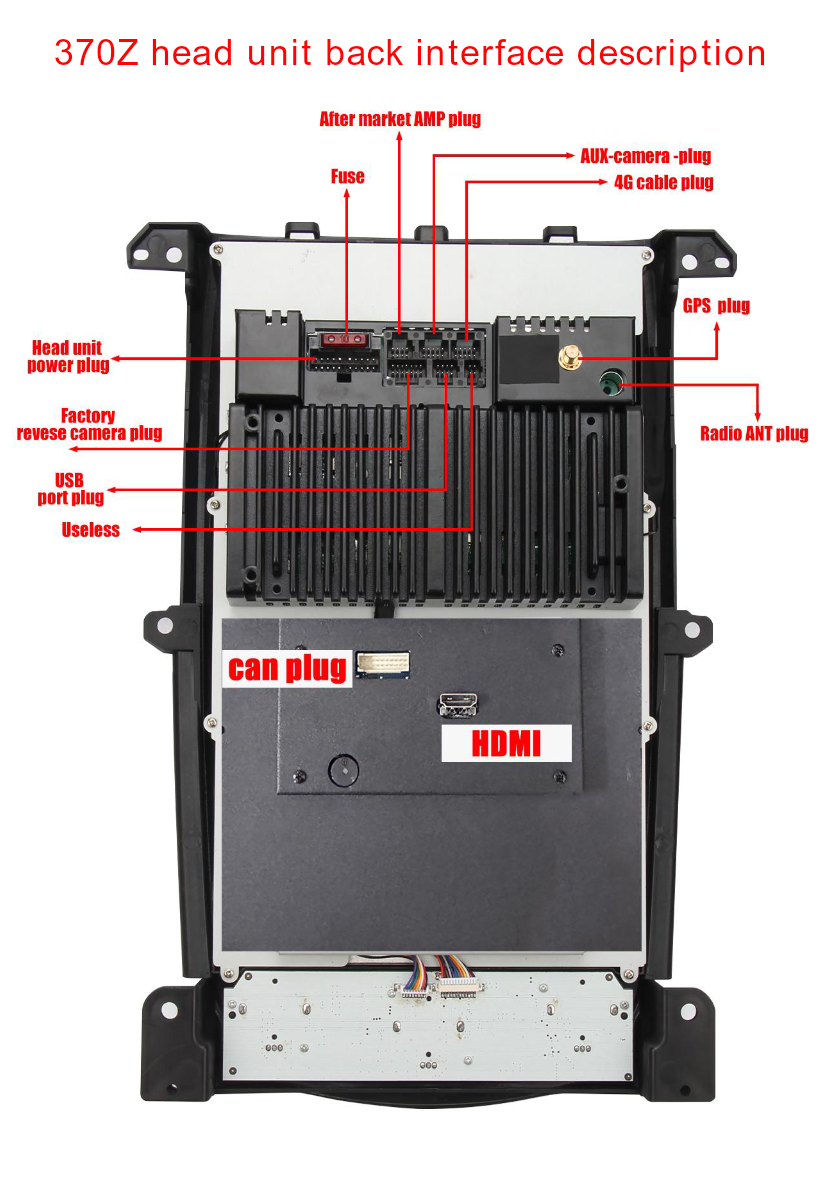
- Familiarize with Wiring: Review the harness diagram and back interface description to understand the different plugs and wiring.
Removal Steps
While specific removal steps are not detailed, carefully remove the factory unit and trim pieces to access the installation area.
Installation Steps
Follow these steps for a successful installation:
- Align the new head unit back interface plugs with the corresponding car connectors (e.g., power plug, AUX-camera plug).
Wiring and Connections
Proper wiring is crucial for functionality. Follow these connection steps:
Main Harness Connections:
- Connect the AC cable based on the type used.
- For type 1 dashboards, use the 10-pin AC female plug.
- Connect the power plug to the car.
- Connect the female radio antenna plug to the car plug.
- Connect the radio plug to the unit.
- Ensure accurate installation of Key 1/2 and CAN plug connections.
Back Interface Connections:
- Utilize the labeled plugs: aftermarket AMP plug, AUX camera plug, GPS plug, etc.
Post-Installation
After installation, test each feature of the new head unit (navigation, music, CarPlay, etc.) to confirm functionality. Reassemble the dashboard, ensuring all trim pieces are securely fastened.
Tips & Warnings
- For troubleshooting, have your order number, original car dashboard picture, car manufacturing year, and detailed wiring pictures ready.
- If you experience software issues, access system settings to capture system info/version.
- Contact support for further assistance if needed.
Conclusion
Upgrading your Nissan 370Z with the G-Series head unit is a rewarding project that can enhance your driving experience. For more information on the G-Series head unit, visit the product page below.

For more details, check out the Nissan 370Z G-Series Head Unit product page.
Share:
How to Install a Head Unit in Your Nissan 350Z Z33 (2002-2008): Complete Guide with Wiring Diagrams
How to Install a Head Unit in Your Nissan GTR (2008-2016): Complete Guide with Wiring Diagrams