

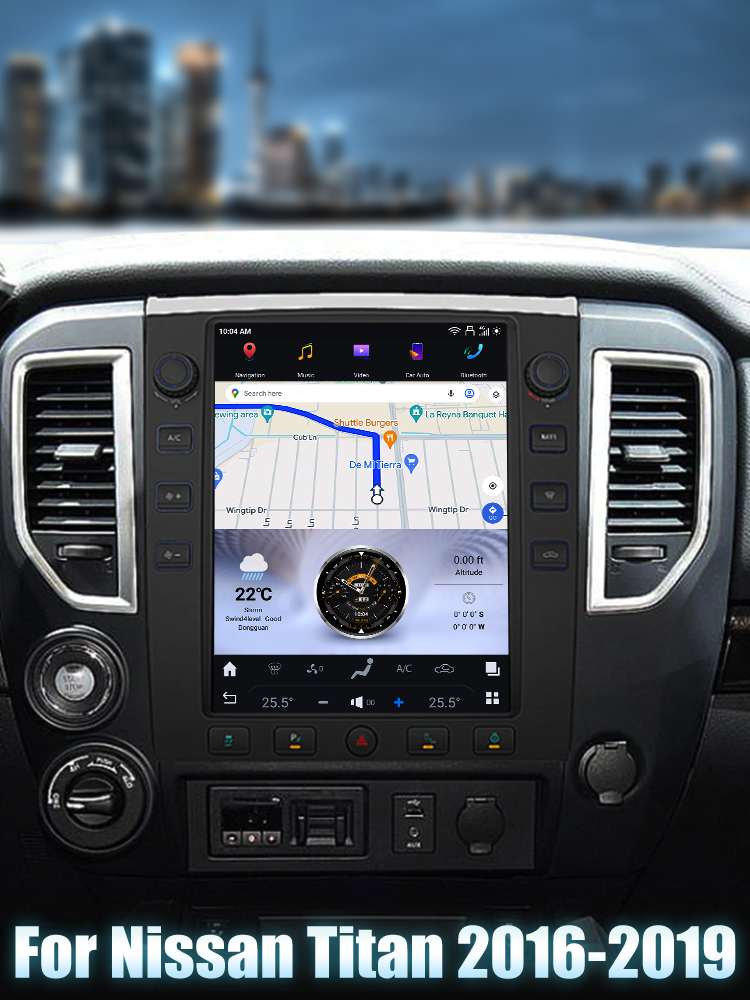
How to Install a Head Unit in Your Nissan Titan (2016-2019)
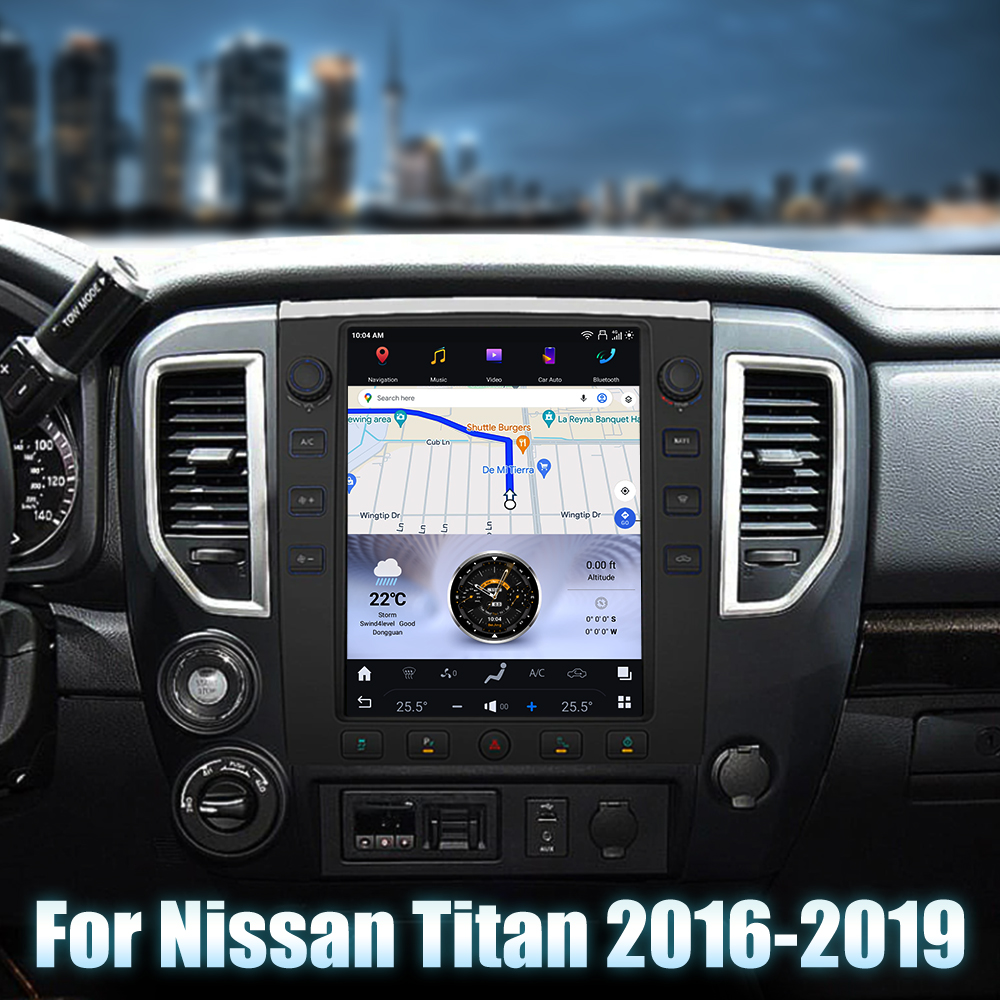
Upgrading your Nissan Titan's head unit can significantly enhance your driving experience. In this guide, we'll walk you through the installation process of the SquareWheels G-Series Android head unit specifically designed for the 2016-2019 Nissan Titan.
1. Tools Required
While the specific tools are not listed, you will typically need:
- Screwdriver set
- Panel removal tools
- Socket set for bolts
2. Pre-Installation Notes
Before starting, ensure safety by disconnecting the vehicle's battery to prevent electrical shorts.
3. Removal Steps
To remove the factory head unit, follow these general steps:
- Use a panel removal tool to carefully pry off the trim pieces surrounding the head unit.
- Unscrew any screws or bolts securing the factory head unit.
- Disconnect the factory wiring harness and antenna cables.
4. Installation Steps
Once the factory unit is removed, proceed with the installation of the new head unit:
- Securely mount the new head unit in place of the factory unit.
- Ensure all connections are firmly attached.
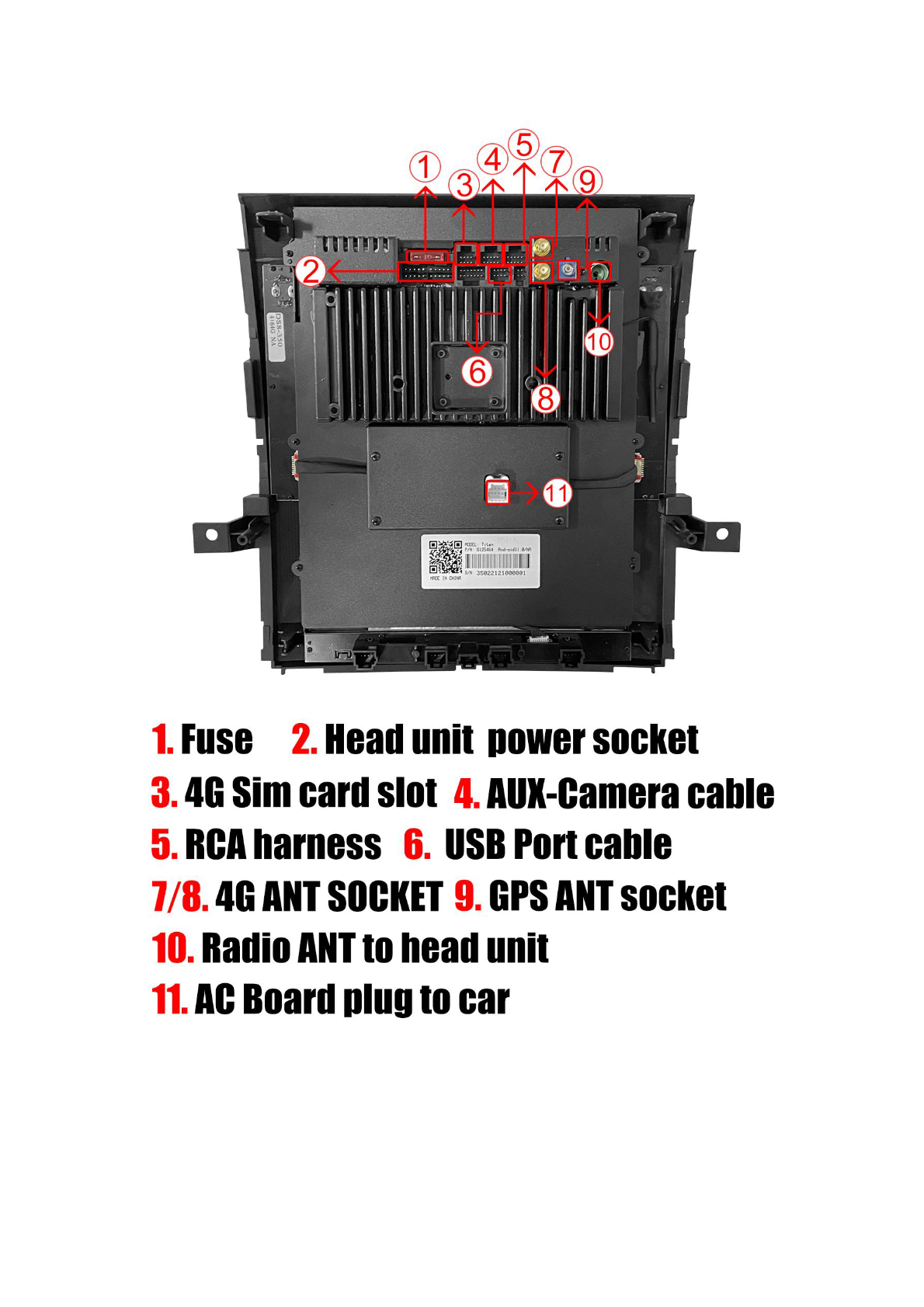
5. Wiring/Connections
Connect the following components to the head unit:
- Fuse
- Head unit power socket
- 4G Sim card slot
- AUX-Camera cable
- RCA harness
- USB Port cable
- 4G ANT SOCKET
- GPS ANT socket
- Radio ANT to head unit
- AC Board plug to car
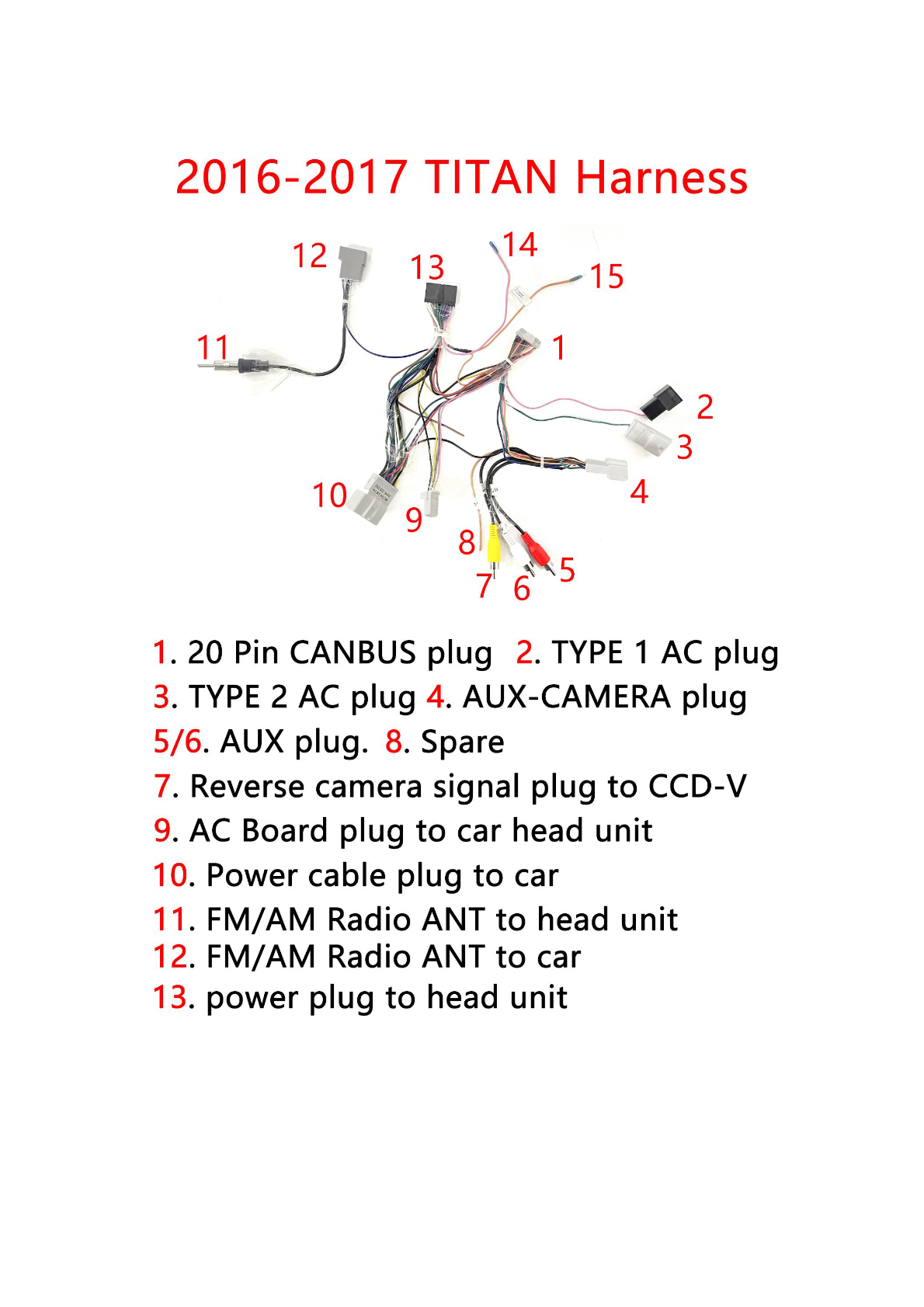
6. Post-Installation
After installation, reconnect the vehicle’s battery and test the head unit functionality, including:
- Audio
- GPS
- 4G connectivity
- Camera inputs
7. Reassembly
Reattach any trim pieces removed during disassembly using the panel tool and screws.
8. Tips & Warnings
Remember the following:
- Always disconnect the vehicle's battery before beginning the installation.
- Ensure connectors are fully inserted to avoid functionality issues.
- Double-check all connections against the diagram to ensure proper matching.
Conclusion
By following these steps, you can successfully install a new head unit in your Nissan Titan. For a stunning visual upgrade and modern functionality, consider the SquareWheels G-Series Android Head Unit.
Share:
How to Install a Head Unit in Your Nissan GTR (2008-2016): Complete Guide with Wiring Diagrams
How to Add an AUX Battery to Your Infiniti Q50