

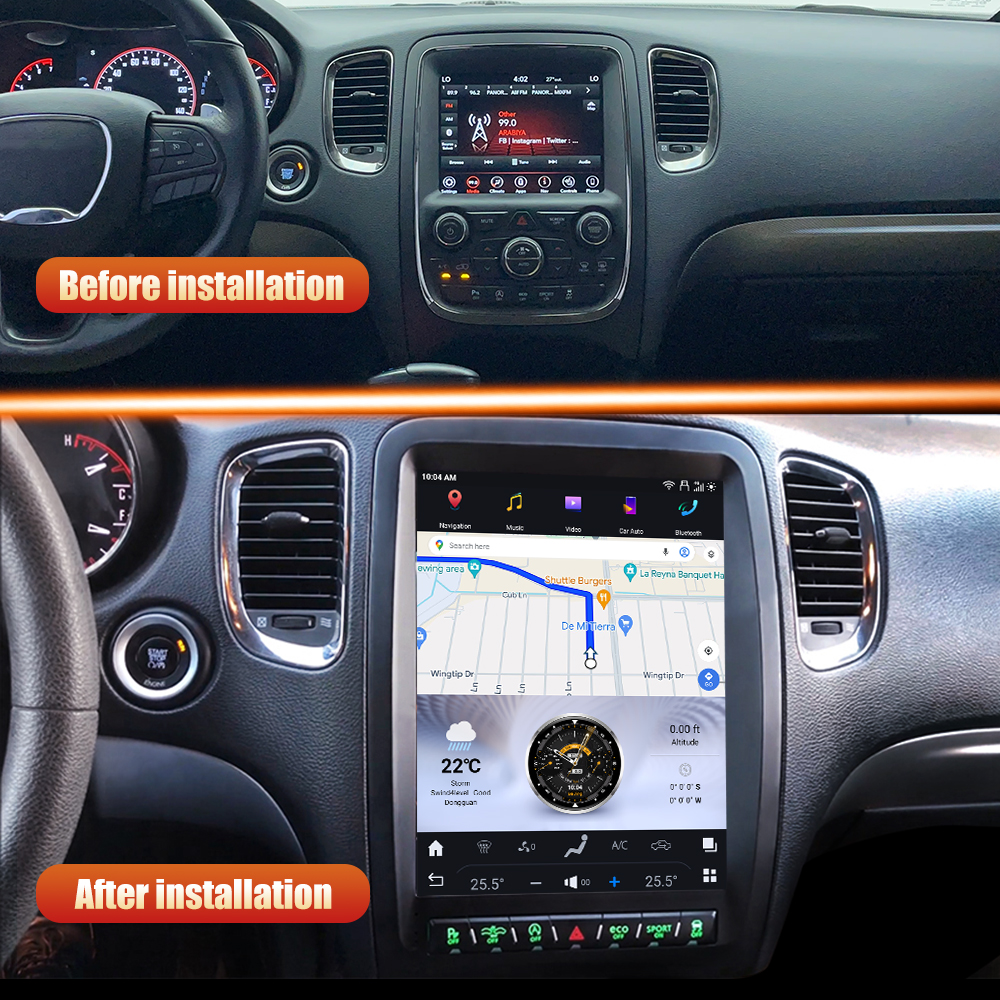
Upgrade Your Dodge Durango with a New Head Unit
If you're looking to enhance your driving experience in a 2010-2013 Dodge Durango, installing a new head unit can make a significant difference. This guide will walk you through the installation of the SquareWheels G-Series head unit, providing you with the necessary wiring diagrams and tips for a successful upgrade.

Tools Required
No specific tools are mentioned for this installation, but having a basic set of automotive tools handy is always a good idea.
Pre-Installation Notes
- Ensure your vehicle is a 2010-2013 Dodge Durango.
- The new unit does not require retention of the stock radio and AC panel.
- If your vehicle has a rear entertainment system, specific adapters will be needed.
Removal Steps
While specific removal steps for the factory unit or trim pieces are not provided, it's generally advisable to carefully remove any surrounding trim to access the factory head unit.
Installation Steps
Follow the wiring connections as indicated in the diagrams below:
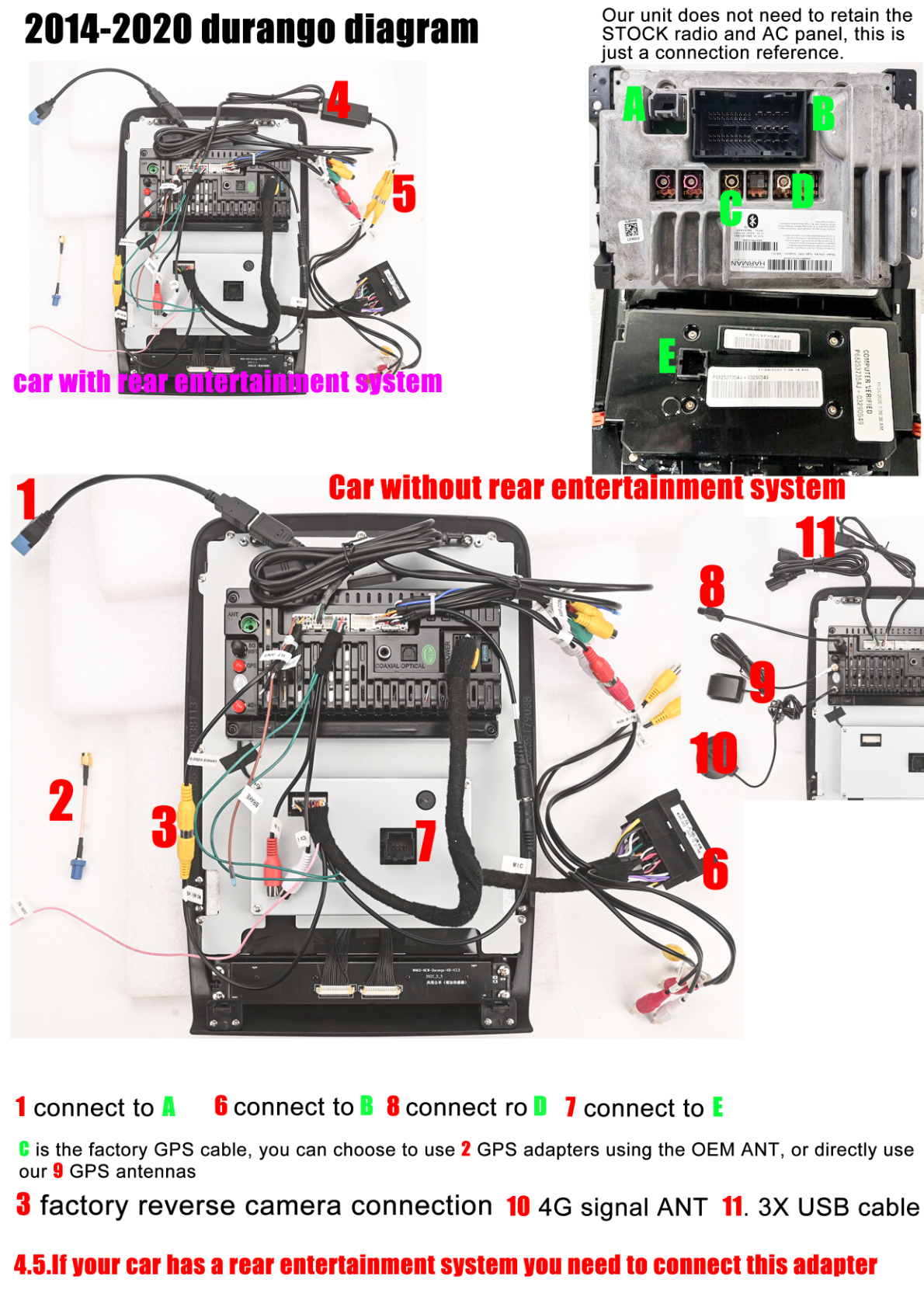
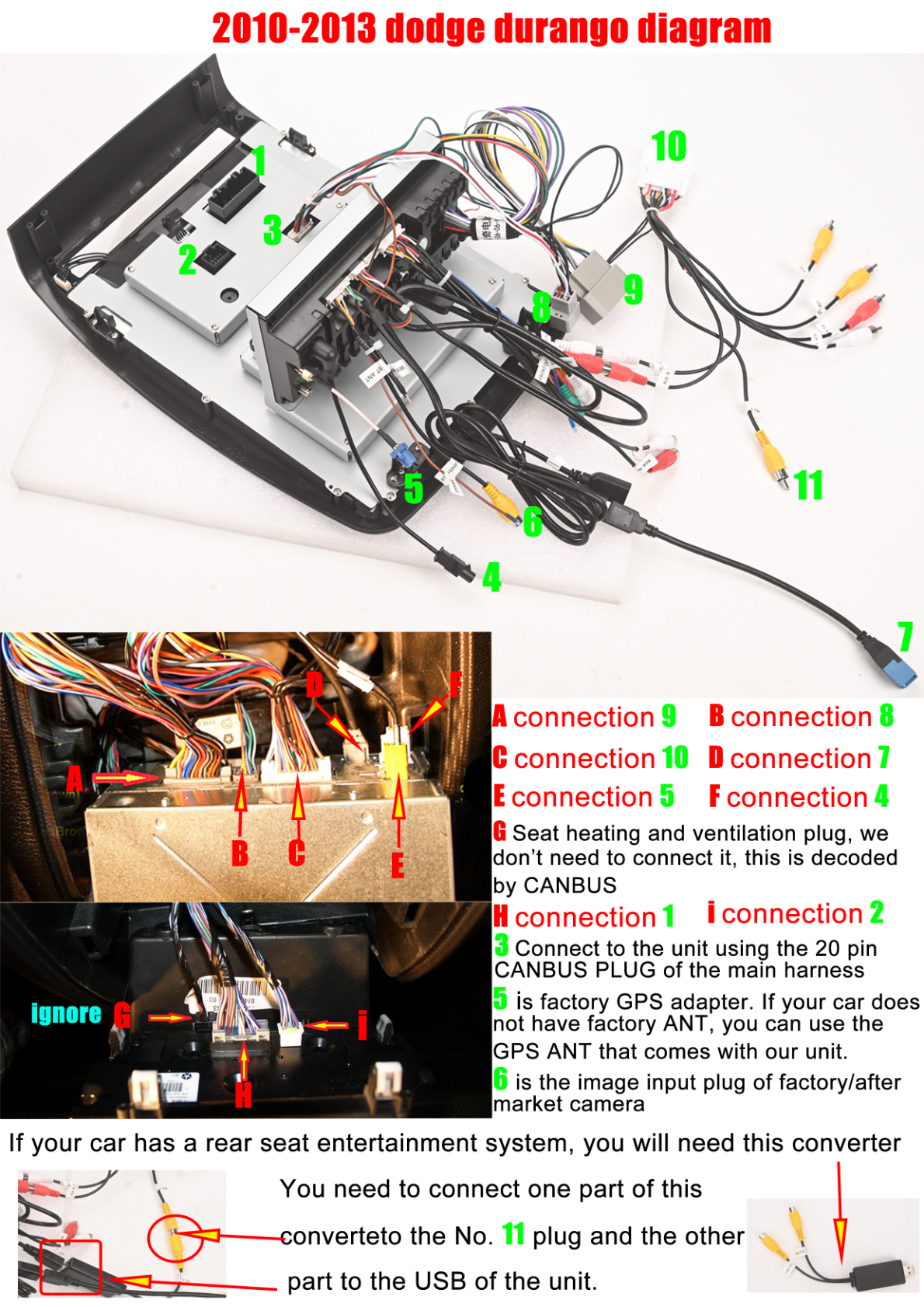
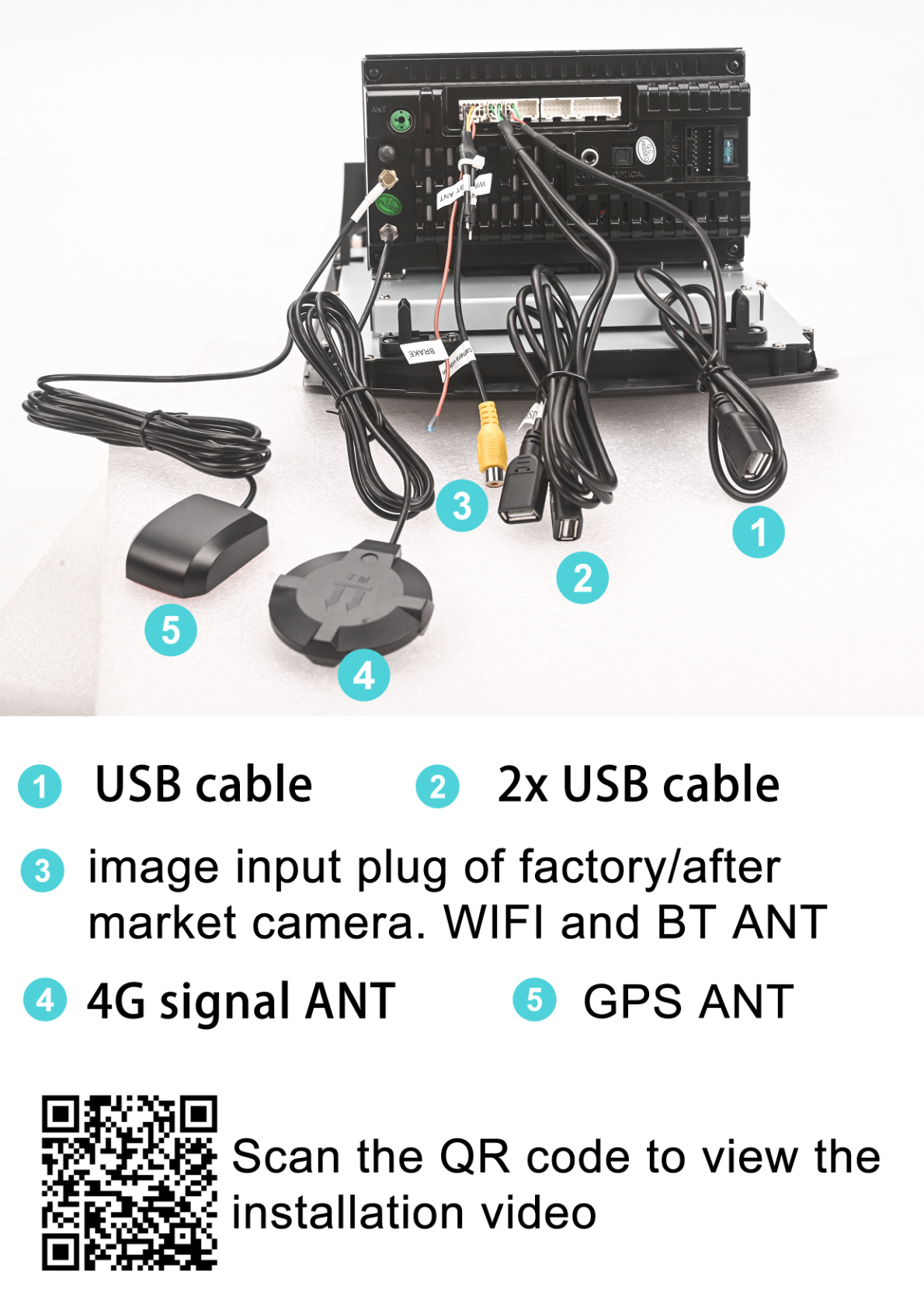
Wiring Connections
Make the following connections:
- Connect A to connection 9
- Connect B to connection 8
- Connect C to connection 10
- Connect D to connection 7
- Connect E to connection 5
- Connect F to connection 4
For GPS and camera connections:
- 5 is the factory GPS adapter.
- 6 is the image input for factory/aftermarket camera.
Post-Installation
After making the connections, test the unit to ensure functionality. Reassemble any removed trim pieces or panels.
Tips & Warnings
- For vehicles with a rear entertainment system, a converter is needed to interface the No. 11 plug with the unit’s USB port.
- The unit receives seat heating and ventilation signals via CANBUS; no manual connection is required.
Always verify connection stability and recheck all plugs to avoid signal or power loss.
Conclusion
Upgrading your Dodge Durango with a new head unit can greatly enhance your in-car experience. By following this guide, you can ensure a smooth installation process. For a stunning upgrade, consider the Dodge Durango G-Series Head Unit.
For further assistance or to explore more products, feel free to contact us.
Share:
How to Install a Head Unit in Your Dodge Challenger (2008-2014): Complete Guide with Wiring Diagrams
How to Install a Head Unit in Your Ford Expedition (2018-2021): Complete Guide with Wiring Diagrams